זימון לחקירה במס הכנסה או במע”מ: מה עושים ואיך נסגר תיק מס
עו״ד שגיב רוטנברג | עודכן: ספטמבר 2026
זימון לחקירה ברשות המסים אינו הזמנה לשיחה על גובה השומה. אם בזימון כתוב “חקירה באזהרה”, או שהחוקר פותח ואומר במה אתה חשוד, נפתח נגדך תיק פלילי ואתה חשוד ולא עד. שלוש זכויות מכריעות את התיק בשלב הזה: להיוועץ בעורך דין פלילי לפני החקירה, לשתוק, ולדעת במה אתה חשוד. בפועל, מה שקובע את התוצאה יותר מגובה הסכום שהועלם הוא מתי נכנס עורך דין פלילי לתיק. תיקי מס רבים נסגרים בהיעדר אשמה או בכופר כסף עוד לפני כתב אישום, כשההסבר החשבונאי וחלוקת האחריות בעסק מוצגים מוקדם ובצורה מסודרת.
זומנת לחקירה ברשות המסים?
זימנו אותי לחקירה במס הכנסה או במע”מ, מה עושים בשעות הראשונות?
מאמתים את פרטי הזימון ופונים לעורך דין פלילי לפני מועד החקירה, לא אחריה. רשות המסים מפעילה שתי זרועות נפרדות: מערך הביקורת והשומה, שקובע כמה מס אתה חייב, ומערך החקירות והמודיעין, שאוסף ראיות להוכחת אשמה. זימון שהגיע ממדור חקירות או ממשרד החקירות מקורו בזרוע הפלילית.
בדקו מי החוקר, באיזו תחנה, מה מספר התיק ולפי איזה חוק אתם נחקרים: פקודת מס הכנסה, חוק מס ערך מוסף או שניהם.
שאלו ישירות “האם אני נחקר באזהרה כחשוד?” ובקשו שהתשובה תתועד.
אפשר לבקש דחייה קצרה של מועד החקירה לצורך התייעצות. בקשה כזו מוגשת בכתב ולרוב מתקבלת.
אספו בעצמכם את החומר: דוחות שהוגשו, שומות, תכתובות עם רואה החשבון, חוזי ספקים. אל תשנו ואל תמחקו דבר.
אל תתאמו גרסאות עם שותפים, עובדים או ספקים. שיחה כזו מופיעה בפלט השיחות והופכת תיק מס בינוני לתיק של שיבוש הליכי משפט.
מה שנאמר בחקירה הראשונה מלווה את התיק עד סופו. הודאה חלקית או “הסבר תם לב” שנמסר בלי לראות את חומר הראיות הופכים בהמשך לאבן יסוד בכתב האישום.
קיבלתי זימון לחקירה באזהרה, זה אומר שכבר יש תיק פלילי?
כן. אזהרה ניתנת לחשוד בלבד, ומשמעותה שנפתח תיק חקירה פלילי. החוקר מודיע לפני תחילת החקירה במה אתה חשוד, ומזהיר שאינך חייב לומר דבר, שכל דבר שתאמר עשוי לשמש ראיה, ושאתה זכאי להיוועץ בעורך דין.
פתיחת תיק פלילי אינה כתב אישום ואינה הרשעה. בין החקירה לאולם בית המשפט יש תחנות שבכל אחת מהן התיק יכול להיעצר: המלצת מערך החקירות, בחינת התיק בפרקליטות מיסוי וכלכלה, שימוע לפני הגשת כתב אישום ובקשה לכופר כסף. המעמד שלכם בחקירה קובע מה אפשר לעשות בכל תחנה:
עד — אין אזהרה וקיימת חובת מסירת מידע. עד בתיק מס יכול להפוך לחשוד באותה חקירה עצמה.
חשוד בחקירה באזהרה ללא מעצר — המצב הנפוץ. הזימון נשלח מראש והחקירה מתועדת.
חשוד שנחקר אחרי חיפוש ותפיסת מסמכים — סימן לתיק שכבר נבנה במודיעין. כאן נדרשת נוכחות סנגור באותו יום.
נחקר בתיק שסומן גם כעבירת מקור להלבנת הון — עבירות מס חמורות נכללות ברשימת עבירות המקור, ולתיק מצטרפים תפיסת חשבונות וחילוט רכוש.
מה ההבדל בין ביקורת מס לחקירה פלילית?
ביקורת היא הליך אזרחי־מינהלי שתכליתו לקבוע את גובה המס, וחקירה היא הליך פלילי שתכליתו לאסוף ראיות להוכחת אשמה. שני ההליכים יכולים להתנהל במקביל על אותם מסמכים, אבל הזכויות והסיכונים בהם שונים לחלוטין.
פרמטר
ביקורת ושומה
חקירה פלילית
מי מנהל
מפקח שומה, מבקר מע”מ
חוקר במערך החקירות והמודיעין
תכלית ההליך
קביעת גובה המס
איסוף ראיות להוכחת אשמה
חובת שיתוף פעולה
קיימת: חובת מסירת מסמכים והסברים
אינה קיימת: לחשוד זכות שתיקה
אזהרה
אין
יש, והיא מסמנת מעמד של חשוד
תוצאה אפשרית
שומה, קנס אזרחי, כפל מס
כתב אישום, מאסר, קנס פלילי, חילוט
מי מלווה
רואה חשבון או יועץ מס
עורך דין פלילי
חיסיון
אין חיסיון על דברי רואה החשבון
חיסיון עורך דין–לקוח
מתי ביקורת מתגלגלת לחקירה פלילית
מפקח השומה אינו חוקר, אבל הוא חייב להעביר למערך החקירות חומר שמעורר חשד לעבירה פלילית. המסמכים וההסברים שמסרתם בשלב הביקורת, כשחלה עליכם חובת שיתוף פעולה ולא הייתה לכם זכות שתיקה, עוברים לזרוע הפלילית ויכולים לשמש נגדכם. הדגלים האדומים המוכרים: פערי הון בלתי מוסברים, אי־התאמה שיטתית בין דוחות מע”מ לדוחות מס הכנסה ולתנועות הבנק, חשבוניות מספקים שאינם פעילים, הכנסות שלא דווחו כלל, ובכלל זה מזומן, שירותים בחו”ל ורווחים ממטבעות דיגיטליים, ואי־ניהול ספרים או ניהול ספרים כפולים.
איך מתנהלת חקירת רשות המסים, משלב המודיעין ועד ההחלטה?
ההליך בנוי מארבעה שלבים, ורובו מתרחש לפני שהחשוד יודע עליו.
איסוף מודיעין סמוי
לפני שאתם יודעים שאתם נחקרים כבר מתנהל איסוף מידע: בדיקת חשבונות בנק, מידע ממרשם החברות, עיון בדיווחי מע”מ ובתיקי שנים קודמות.
צו חיפוש ותפיסת מסמכים
כשהצטברו ראיות לחשד סביר, הרשות פונה לבית המשפט בבקשה לצו חיפוש, בעסק, בבית ולעיתים בשניהם בו־זמנית. אין לסרב לביצוע הצו, אבל אין למסור מידע מעבר למה שהצו מחייב, ויש לבקש לראות אותו. אם מדובר בחברה, ראו את פרוטוקול החירום לצו חיפוש בחברה.
הזמנה לחקירה
אחרי ניתוח החומר שנתפס מוזמן החשוד לחקירה. הזכות להיוועץ בעורך דין לפני החקירה ובמהלכה היא זכות מוגנת, וייעוץ לפני חקירה הוא מה שמאפשר להחליט מראש איזו גרסה למסור ומתי לשתוק.
המלצה והחלטה
בתום החקירה מועברת המלצה לפרקליטות, שרשאית להגיש כתב אישום, לסגור את התיק או להפנות להסדר כספי. זה השלב שבו נקבע אם התיק הופך לאישום.
ממליצה בחום!!! אין משרד אחר שיכל לייצג אותי בצורה הטובה ביותר כמו המשרד שלכם. על כן, ברצוני להביע את תודתי מעומק הלב על העבודה הנפלאה והטיפול המסור. זה מה שנקרא עבודת קודש אין לי ספק שלבחור בכם הייתה בחירה מצויינת! הזמינות, ההיענות, המסירות אלפי תודות!
בפנייתי לעו״ד ניר רוטנברג נענתי באופן מקצועי, יעיל והכי חשוב זמין! תמיד שהתקשרתי בזמן מצוקה, אף בשעות לא שגרתיות, תמיד קיבלנו מענה אני ובני משפחתי. עו״ד ניר רוטנברג רהוט, מסביר פנים, ידען ומקצועי באופן יוצא מן הכלל! בשמי ובשם משפחתי אנו מודים לך. בזכותך אנו בטוחים שנצליח לשקם את חיינו.
נמצאו חשבוניות פיקטיביות בספרים שלי, אני אחראי?
לא באופן אוטומטי, אבל נקודת המוצא של הרשות היא שכן, ועליכם לסתור אותה. חשבונית פיקטיבית היא חשבונית שאינה משקפת עסקה אמיתית: לא בוצעה עסקה, או שהיא בוצעה מול גורם אחר, או שהסכום מנופח. ניכוי מס תשומות על בסיסה הוא עבירה לפי חוק מס ערך מוסף, ובמישור האזרחי הוא מוליד שלילת תשומות בתוספת כפל מס.
השאלה המשפטית אינה אם החשבונית פיקטיבית אלא מה ידעתם ומה היה עליכם לדעת. בפסיקה התגבש חריג צר לנישום שהוכיח שנהג בתום לב, שלא ידע ולא היה עליו לדעת, ושנקט את כל האמצעים הסבירים לבדיקת הספק. ההגנה הזו נבנית מראיות:
תיעוד בדיקת הספק בזמן אמת: אישור עוסק מורשה, ניהול ספרים, בדיקה במרשם החברות, אישור ניכוי מס במקור.
מסלול תשלום נורמטיבי: העברות בנקאיות לחשבון הרשום על שם הספק, לא מזומן ולא צדדים שלישיים.
מחיר שוק סביר, בלי הנחות שמשקפות מכירת חשבוניות.
חלוקת תפקידים מתועדת: מי אישר ספקים, מי קלט חשבוניות ומה היה תפקיד רואה החשבון.
בעסק שיש בו כמה בעלי תפקידים, אחריות המנהל או הדירקטור היא שאלה נפרדת מאחריות החברה. הפרדה מוקדמת בין השתיים היא אחד המהלכים ההגנתיים החשובים בתיקי חשבוניות.
כן. לחשוד בחקירה פלילית יש זכות שתיקה מלאה, אין עבירה בשתיקה ואין סמכות לכפות עליכם לדבר. עם זאת שתיקה אינה חסינות, ויש לה מחיר שצריך לשקול מראש.
זכות השתיקה חלה על החקירה הפלילית באזהרה. היא אינה פוטרת אתכם מחובות הדיווח בהליך האזרחי: הגשת דוחות, מסירת ספרים לפי דרישה חוקית ומענה למפקח שומה. גם בתוך החקירה יש הבדל בין סירוב למסור גרסה לבין סירוב לזהות את עצמכם או למסור מסמך שנדרש בצו, ושם החוק אינו מגן עליכם. בבית המשפט שתיקת נאשם יכולה לשמש חיזוק לראיות התביעה, ולכן ההחלטה האמיתית שמתקבלת עם סנגור אינה “לדבר או לשתוק” אלא איזו גרסה למסור, מתי ובאיזה היקף:
שתיקה מלאה — כשחומר הראיות אינו מוכר להגנה או כשהחשד מנוסח בעמימות.
גרסה מלאה — כשקיים הסבר חשבונאי מתועד שמאיין את יסוד הכוונה.
גרסה ממוקדת בכתב — בקשה להשיב בכתב או להשלים תשובות אחרי בדיקת מסמכים.
שתיקה חלקית — מסוכנת. מענה על חלק מהשאלות ושתיקה באחרות יוצרים את הרושם הגרוע ביותר.
המשפט “אני מעדיף להשיב אחרי התייעצות עם עורך דיני” הוא אמירה לגיטימית ומותרת, והוא אינו שיבוש חקירה.
אפשר לסגור את התיק בכופר כסף?
כן, במקרים מתאימים. כופר כסף הוא הסדר שבו רשות המסים מסכימה לא להעמיד לדין בתמורה לתשלום, לצד הסדרת חוב המס. הסמכות מעוגנת בסעיף 221 לפקודת מס הכנסה ובסעיף 121 לחוק מס ערך מוסף, וההחלטה מתקבלת בוועדת כופר לפי שיקול דעת, לא כזכות.
היתרון המרכזי הוא שהסדר כופר מסיים את ההליך הפלילי בלי כתב אישום ובלי הרשעה, ולכן בלי רישום פלילי. עבור רופא, רואה חשבון, נושא משרה בחברה ציבורית או בעל רישיון, זה לעיתים ההישג המשפטי החשוב בתיק כולו. ועדת הכופר שוקלת את היקף המס שהועלם ומשך התקופה, את חלקו של החשוד, נטילת אחריות, תשלום החוב, היעדר עבר פלילי ונסיבות אישיות. בתיקי סחר בחשבוניות, בהיקפים גבוהים במיוחד או כשמעורבת גם הלבנת הון, בקשות כופר נדחות לרוב, ואז המאמץ עובר למסלולי סגירה אחרים ולהסדר טיעון.
התזמון מכריע: בקשת כופר מוגשת בין סיום החקירה להחלטה על העמדה לדין. מוקדם מדי, לפני שההגנה מכירה את חומר הראיות, היא הודאה מיותרת. אחרי הגשת כתב אישום היא כמעט אינה נשקלת.
מה העונש על העלמת מס?
עד שבע שנות מאסר בעבירות המהותיות, לצד קנס שיכול להגיע לפי שניים מסכום ההכנסה שהועלמה. העונש המדויק תלוי בחוק שלפיו נפתח התיק, ובעיקר בשאלה אם העבירה טכנית, כלומר נעשתה בלי כוונה להתחמק ממס, או מהותית, כלומר נעשתה במזיד ובמטרה להתחמק. ההבחנה הזו היא הקרב המרכזי בכל תיק מס, מפני שהיא מפרידה בין שנה אחת לשבע שנים.
מהותית: דיווח כוזב, חשבונית בלי עסקה, ניכוי תשומות ללא חשבונית כדין
מאסר חמש שנים וקנס
סעיף 117(ב2) לחוק מע”מ
אותן עבירות בנסיבות מחמירות
מאסר שבע שנים או קנס מוגדל
העונש המקסימלי הוא תקרה. בפועל בית המשפט קובע מתחם ענישה לפי היקף המס שהועלם, משך התקופה ומספר האירועים, מידת התחכום, תפקידו של הנאשם בעסק, תיקון הנזק לפני גזר הדין, נטילת אחריות ועבר פלילי. במקביל פועלות סנקציות אזרחיות: שומות לפי מיטב השפיטה, פסילת ספרים, כפל מס בעבירות חשבוניות וחילוט רכוש. את אלה אפשר לצמצם רק כשמנהלים את ההליך האזרחי והפלילי כמכלול אחד.
רואה החשבון יכול ללוות אותי לחקירה, או שצריך עורך דין פלילי?
לחקירה פלילית נדרש עורך דין פלילי. רואה החשבון הוא נכס מקצועי בתיק, אבל לא בחדר החקירות, משלוש סיבות שבדין:
חיסיון — חיסיון עורך דין–לקוח מונע מהרשות לחקור את עורך הדין על תוכן הייעוץ. שיחות עם רואה החשבון אינן חסויות באותו אופן.
מעמד בחקירה — רואה החשבון הכין את הדוחות וקלט את החשבוניות, ולכן הוא עלול להפוך לעד תביעה מרכזי, ולעיתים לחשוד בעצמו. אז האינטרסים מתנגשים.
תחום העיסוק — אזהרה, קבילות ראיות, מעצרים, חילוט, מיקוח על סעיפי אישום, כופר והסדרי טיעון אינם כלים חשבונאיים.
בתיק מנוהל היטב עורך הדין הפלילי מוביל את ההליך ומנהל את התקשורת עם החוקרים ועם הפרקליטות, ורואה החשבון בונה תחתיו את ההסבר החשבונאי, את פירוק הסכומים ואת התאמות הבנק. כשרואה החשבון עובד במסגרת הייעוץ של עורך הדין, מתחזק גם מעמדו של חומר העבודה כחומר שהוכן לצורך ההגנה.
זומנת לחקירה ברשות המסים?
למה נקודת הכניסה של עורך דין פלילי קובעת את התיק
מי שמגיע לחקירה הראשונה מלווה ומוכן מנהל תיק. מי שמגיע לבד מנהל נזק. משרד עורכי הדין רוטנברג מייצג חשודים ונאשמים בחקירות רשות המסים, בתיקי חשבוניות פיקטיביות, בוועדות כופר ובתיקי עבירות צווארון לבן והלבנת הון, ומלווה גם את ההליך האזרחי מול מפקח השומה כדי ששני המסלולים לא יסתרו זה את זה. אפשר ליצור קשר עם משרד עורך דין פלילי רוטנברג עוד לפני מועד החקירה.
שאלות ותשובות
חייבים להגיע לחקירה שזומנתי אליה?
כן. זימון לחקירה הוא דרישה חוקית, והתעלמות ממנו עלולה להוביל להבאה בכפייה ואף למעצר. מה שכן אפשר לבקש הוא דחייה למועד סמוך לצורך התייעצות עם עורך דין.
כמה זמן נמשכת חקירת מס?
החקירה עצמה נמשכת שעות עד ימים אחדים, אבל חיי התיק, מפתיחת החקירה ועד החלטה על אישום, כופר או סגירה, נמשכים בדרך כלל בין כמה חודשים לכמה שנים, לפי ההיקף ומספר החשודים.
מה עושים אם החוקר מציע “לסגור את זה כאן ועכשיו”?
אין לחוקר סמכות לסגור תיק בהסכמה בחדר החקירות. הצעה כזו היא לרוב כלי לקבלת הודאה, והתשובה הנכונה היא בקשה להתייעץ עם עורך דין לפני מסירת גרסה.
התיק נפתח נגדי או נגד החברה?
לעיתים נגד שניהם. אחריות החברה ואחריות נושא המשרה הן שאלות נפרדות, ויש כלים משפטיים להפריד ביניהן, במיוחד כשאפשר להראות שהחשוד לא ידע ולא היה עליו לדעת.
הגשתי דוחות מתקנים ושילמתי את החוב, התיק נסגר?
לא אוטומטית, אבל זה שיקול מקל מרכזי בהחלטה על העמדה לדין, בוועדת הכופר ובענישה. תיקון והסדרה בשלב מוקדם הם מהמהלכים המשתלמים בתיק מס.
הרשעה בעבירת מס נרשמת במרשם הפלילי?
כן. זו אחת הסיבות המרכזיות לכך שסיום בכופר כסף, שאינו כולל הרשעה, הוא לעיתים המטרה המרכזית של ההגנה.
חקירה במע”מ שונה מחקירה במס הכנסה?
מבחינת הזכויות לא: זכות השתיקה וזכות ההיוועצות זהות. מבחינת התוכן כן: חקירת מע”מ מתמקדת בחשבוניות, בתשומות ובדוחות תקופתיים, וחקירת מס הכנסה בהכנסות, בהוצאות, בפערי הון ובדוחות שנתיים. בתיקים רבים שני ההליכים מתנהלים במקביל.
מה קורה אם תפסו לי מסמכים ומחשבים?
החומר נסרק ומשמש ראיה. להגנה יש זכות לעיין בחומר החקירה בשלב המתאים, ואפשר לתקוף את חוקיות החיפוש והתפיסה. תעדו מיד מה נתפס ומתי, וראו את המדריך על שחרור נכסים ומסמכים שנתפסו.
אפשר לעצור אותי במהלך חקירת מס?
כן. חוקרי מערך החקירות מוסמכים לבקש צו מעצר כשקיים חשש לשיבוש הליכים, לבריחה או להמשך ביצוע עבירות. בתיקי מס בהיקף גדול זה אינו נדיר.
המידע בעמוד הוא מידע כללי ואינו ייעוץ משפטי או תחליף לו. כל תיק מס נבחן לפי נסיבותיו, והוראות הדין והפסיקה משתנות מעת לעת.
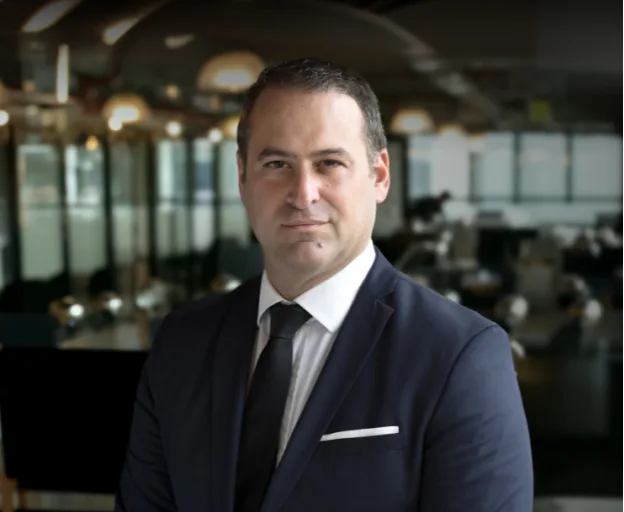
עו”ד שגיב רוטנברג מתמחה במשפט הפלילי ומעניק ללקוחותיו ייצוג משפטי מקצועי ואמין. עם ניסיון של למעלה מ-25 שנה בתחום, הוא מלווה את הלקוח לאורך כל התהליך המשפטי, תוך שמירה על זכויותיו והבטחת תוצאה מיטבית. עו”ד רוטנברג מחויב למקצועיות, נאמנות ומסירות, ומיישם אסטרטגיות מנצחות עם ראיית הלקוח במרכז.
מצב זה מאפשר לאנשים עם אפילפסיה להשתמש באתר בבטחה על ידי ביטול הסיכון להתקפים הנובעים מהנפשות מהבהבות או מהבהבות ושילובי צבעים מסוכנים.
מצב לקוי ראייה
משפר את הוויזואליה של האתר
מצב זה מתאים את האתר לנוחיותם של משתמשים עם ליקויי ראייה כגון ראייה משפילה, ראיית מנהרה, קטרקט, גלאוקומה ועוד.
מצב מוגבלות קוגניטיבית
עוזר להתמקד בתוכן ספציפי
מצב זה מספק אפשרויות סיוע שונות כדי לעזור למשתמשים עם ליקויים קוגניטיביים כגון דיסלקציה, אוטיזם, CVA ואחרים, להתמקד במרכיבים החיוניים של האתר ביתר קלות.
ADHD ידידותי ל
מפחית הסחות דעת ומשפר את המיקוד
מצב זה מספק אפשרויות סיוע שונות כדי לעזור למשתמשים עם ליקויים קוגניטיביים כגון דיסלקציה, אוטיזם, CVA ואחרים, להתמקד במרכיבים החיוניים של האתר ביתר קלות.
מצב עיוורון
מאפשר שימוש באתר עם קורא המסך שלך
מצב זה מגדיר את האתר כך שיהיה תואם לקוראי מסך כגון JAWS, NVDA, VoiceOver ו-TalkBack. קורא מסך הוא תוכנה למשתמשים עיוורים המותקנת במחשב ובסמארטפון, ואתרי אינטרנט חייבים להיות תואמים לה..
התאמות טקסט והתוכן
גופן קריא
הדגש קישורים
הדגש כותרות
קנה מידה של תוכן
ברירת מחדל
גודל גופן
ברירת מחדל
ריווח אותיות
ברירת מחדל
גובה קו
ברירת מחדל
זכוכית מגדלת טקסט
ידידותית לדיסלקציה
מיושר לימין
מיושר למרכז
מיושר לשמאל
התאמות צבעים ותצוגה
ניגודיות כהה
ניגודיות אור
ניגודיות גבוה
רוויה גבוהה
רוויה נמוכה
מונוכרום
התאם את צבעי הטקסט
התאם את צבעי הכותרת
התאם את צבעי הרקע
התמצאות קלה
השתקת צלילים
הסתר תמונות
מקלדת וירטואלית
מדריך קריאה
עצור אנימציות
מסכת קריאה
הדגש את הרחף
הדגש פוקוס
סמן שחור גדול
סמן אור גדול
מקשי ניווט
Accessibility Statement
crime-law.co.il
12 בOctober 2026
Compliance status
We firmly believe that the internet should be available and accessible to anyone, and are committed to providing a website that is accessible to the widest possible audience,
regardless of circumstance and ability.
To fulfill this, we aim to adhere as strictly as possible to the World Wide Web Consortium’s (W3C) Web Content Accessibility Guidelines 2.1 (WCAG 2.1) at the AA level.
These guidelines explain how to make web content accessible to people with a wide array of disabilities. Complying with those guidelines helps us ensure that the website is accessible
to all people: blind people, people with motor impairments, visual impairment, cognitive disabilities, and more.
This website utilizes various technologies that are meant to make it as accessible as possible at all times. We utilize an accessibility interface that allows persons with specific
disabilities to adjust the website’s UI (user interface) and design it to their personal needs.
Additionally, the website utilizes an AI-based application that runs in the background and optimizes its accessibility level constantly. This application remediates the website’s HTML,
adapts Its functionality and behavior for screen-readers used by the blind users, and for keyboard functions used by individuals with motor impairments.
If you’ve found a malfunction or have ideas for improvement, we’ll be happy to hear from you. You can reach out to the website’s operators by using the following email
Screen-reader and keyboard navigation
Our website implements the ARIA attributes (Accessible Rich Internet Applications) technique, alongside various different behavioral changes, to ensure blind users visiting with
screen-readers are able to read, comprehend, and enjoy the website’s functions. As soon as a user with a screen-reader enters your site, they immediately receive
a prompt to enter the Screen-Reader Profile so they can browse and operate your site effectively. Here’s how our website covers some of the most important screen-reader requirements,
alongside console screenshots of code examples:
Screen-reader optimization: we run a background process that learns the website’s components from top to bottom, to ensure ongoing compliance even when updating the website.
In this process, we provide screen-readers with meaningful data using the ARIA set of attributes. For example, we provide accurate form labels;
descriptions for actionable icons (social media icons, search icons, cart icons, etc.); validation guidance for form inputs; element roles such as buttons, menus, modal dialogues (popups),
and others. Additionally, the background process scans all of the website’s images and provides an accurate and meaningful image-object-recognition-based description as an ALT (alternate text) tag
for images that are not described. It will also extract texts that are embedded within the image, using an OCR (optical character recognition) technology.
To turn on screen-reader adjustments at any time, users need only to press the Alt+1 keyboard combination. Screen-reader users also get automatic announcements to turn the Screen-reader mode on
as soon as they enter the website.
These adjustments are compatible with all popular screen readers, including JAWS and NVDA.
Keyboard navigation optimization: The background process also adjusts the website’s HTML, and adds various behaviors using JavaScript code to make the website operable by the keyboard. This includes the ability to navigate the website using the Tab and Shift+Tab keys, operate dropdowns with the arrow keys, close them with Esc, trigger buttons and links using the Enter key, navigate between radio and checkbox elements using the arrow keys, and fill them in with the Spacebar or Enter key.Additionally, keyboard users will find quick-navigation and content-skip menus, available at any time by clicking Alt+1, or as the first elements of the site while navigating with the keyboard. The background process also handles triggered popups by moving the keyboard focus towards them as soon as they appear, and not allow the focus drift outside of it.
Users can also use shortcuts such as “M” (menus), “H” (headings), “F” (forms), “B” (buttons), and “G” (graphics) to jump to specific elements.
Disability profiles supported in our website
Epilepsy Safe Mode: this profile enables people with epilepsy to use the website safely by eliminating the risk of seizures that result from flashing or blinking animations and risky color combinations.
Visually Impaired Mode: this mode adjusts the website for the convenience of users with visual impairments such as Degrading Eyesight, Tunnel Vision, Cataract, Glaucoma, and others.
Cognitive Disability Mode: this mode provides different assistive options to help users with cognitive impairments such as Dyslexia, Autism, CVA, and others, to focus on the essential elements of the website more easily.
ADHD Friendly Mode: this mode helps users with ADHD and Neurodevelopmental disorders to read, browse, and focus on the main website elements more easily while significantly reducing distractions.
Blindness Mode: this mode configures the website to be compatible with screen-readers such as JAWS, NVDA, VoiceOver, and TalkBack. A screen-reader is software for blind users that is installed on a computer and smartphone, and websites must be compatible with it.
Keyboard Navigation Profile (Motor-Impaired): this profile enables motor-impaired persons to operate the website using the keyboard Tab, Shift+Tab, and the Enter keys. Users can also use shortcuts such as “M” (menus), “H” (headings), “F” (forms), “B” (buttons), and “G” (graphics) to jump to specific elements.
Additional UI, design, and readability adjustments
Font adjustments – users, can increase and decrease its size, change its family (type), adjust the spacing, alignment, line height, and more.
Color adjustments – users can select various color contrast profiles such as light, dark, inverted, and monochrome. Additionally, users can swap color schemes of titles, texts, and backgrounds, with over 7 different coloring options.
Animations – epileptic users can stop all running animations with the click of a button. Animations controlled by the interface include videos, GIFs, and CSS flashing transitions.
Content highlighting – users can choose to emphasize important elements such as links and titles. They can also choose to highlight focused or hovered elements only.
Audio muting – users with hearing devices may experience headaches or other issues due to automatic audio playing. This option lets users mute the entire website instantly.
Cognitive disorders – we utilize a search engine that is linked to Wikipedia and Wiktionary, allowing people with cognitive disorders to decipher meanings of phrases, initials, slang, and others.
Additional functions – we provide users the option to change cursor color and size, use a printing mode, enable a virtual keyboard, and many other functions.
Browser and assistive technology compatibility
We aim to support the widest array of browsers and assistive technologies as possible, so our users can choose the best fitting tools for them, with as few limitations as possible. Therefore, we have worked very hard to be able to support all major systems that comprise over 95% of the user market share including Google Chrome, Mozilla Firefox, Apple Safari, Opera and Microsoft Edge, JAWS and NVDA (screen readers), both for Windows and for MAC users.
Notes, comments, and feedback
Despite our very best efforts to allow anybody to adjust the website to their needs, there may still be pages or sections that are not fully accessible, are in the process of becoming accessible, or are lacking an adequate technological solution to make them accessible. Still, we are continually improving our accessibility, adding, updating and improving its options and features, and developing and adopting new technologies. All this is meant to reach the optimal level of accessibility, following technological advancements. For any assistance, please reach out to

 יצוג פלילי
 אינטרפול
 עבירות סמים
 עורך דין עבירות מין
 עבירות צווארון לבן
 נפגעי עבירה