הסכם הסגרה הוא הסכם בין שתי מדינות, המאפשר לכל אחת מהן לבקש את הסגרתו של אדם אשר נמצא בתחומי המדינה האחרת, ונחשד או הורשע בפלילים במדינה המבקשת. הסכם ההסגרה מגדיר את הקריטריונים שבהם ניתן להסגיר אדם, את ההליכים הנדרשים להסגרה, ואת זכויותיו של האדם המוסר.
הסכמי הסגרה נחתמים בין מדינות ברחבי העולם, במטרה לאפשר את העמדתם לדין של עבריינים פליליים, גם אם הם נמלטו למדינה אחרת. הסכמי ההסגרה מהווים כלי חשוב בשיתוף פעולה בין מדינות במלחמה בפשע, והם מסייעים להבטיח שהעבריינים ייענשו על מעשייהם.
לייעוץ מהיר, השאירו פרטים ונחזור אליכם
האם ניתן לקבל חומר חקירה חדש בהליך הסגרה לחו”ל?
תקנה 8 לתקנות ההסגרה (סדרי דין וכללי ראיות בעתירות), תשל”א-1970 מנחה כי מרגע שהוגשה עתירה להסגרת מבוקש הרי שהמבוקש או עורך דין המייצג אותו בנושא ההסגרה רשאים לעיין ולבחן בכל זמן סביר את מלוא חומר הראיות שבכתב הנוגע לעתירה להסגרה ומצוי בידי הפרקליטות הבינלאומית- העותר להסגרת המבוקש וכמו כן רשאי מבוקש ההסגרה לקבל את שמות העדים שבדעת המדינה להשמיע בעת הדיון בעתירה ונושא עדותם.
מהם התנאים לקבלת חומרי חקירה?
בתקנה 8 לתקנות ההסגרה נקבעו 2 תנאים:
על החומר המבוקש להיות חומר ראיות בכתב “הנוגע לעתירה”.
מדובר בחומר ראיות שנמצא בידי הפרקליטות הבינלאומית, כלומר בידי העותר להסגרתו של המבוקש ונפסק בבית המשפט העליון שהתנאי הוא שהחומר מצוי פיסית בידי העותר וכי לא חלה חובה על הפרקליטות הבינלאומית לפנות למדינה המבקשת את ההסגרה כדי לקבל חומר נוסף מעבר לזה שנתקבל מלכתחילה.
מהם התנאים להסגרת מבוקש מישראל?
סעיף 9(א) לחוק ההסגרה קובע שאם הוכח בעתירה לפי סעיף 3 לחוק ההסגרה שהמבוקש חייב בדין על עבירת הסגרה במדינה המבקשת את הסגרתו או שיש ראיות שהיו מספיקות כדי להעמידו לדין על עבירה זהה בישראל יכול בית המשפט המחוזי בירושלים בהתקיים שאר התנאים בחוק להכריז על המבוקש כבר-הסגרה.
בית המשפט העליון הכריע שאין צורך לקבוע האם חומר הראיות מספיק לצורך הרשעת המבוקש, אלא די שיש מה שמכונה “אחיזה לאישום”, כלומר, ראיות שמצדיקות את המשך בירור אשמתו של המבוקש במדינה המבקשת להעמידו למשפט פלילי באותה המדינה. כשבדיקת הראיות הנדרשת בהליכים כאלו היא בסיסית ומינימלית ותפקיד הבדיקה בישראל הוא לוודא שישנו בסיס ראייתי ראשוני אשר בהסתמך עליו ניתן לפתוח בהליך משפט פלילי במדינה הזרה.
בית המשפט העליון הכריע שבית המשפט המחוזי בירושלים שדן בעתירה להסגרת אדם אינו נדרש לערוך בדיקה מעמיקה של חומר הראיות ולהכריע האם בכוחו להביא להרשעת המבוקש אלא כל שנדרש מבית המשפט הוא לבדוק ולהכריע האם קיימות מספיק ראיות שמצדיקות את המשך הבירור הפלילי ושאין מדובר בצו הסגרה חסר ערך.
אנו, במשרד עורך דין רוטנברג, המתמחים בייצוג וליווי מועמדים להסגרה לחו”ל ומומחים למשפט בינלאומי בתחום הפלילים סבורים כי הגיעה העת לשנות את ההלכה בבית המשפט העליון ולהעניק לאזרחים בישראל רף גבוה יותר בטרם יוסגרו למדינות זרות.
הרף הראייתי של “אחיזה לאישום” הוא נמוך ביותר ולכן רוב מכריע של העתירות להסגרה מתקבלות אולם ברף ראייתי זה אין הגנה לאזרח ולתושב הישראלי כלפי רדיפה והתעמרות במדינות אחרות.
האם ניתן לקבל כראיה בהליך הסגרה עדות שנגבתה במדינה זרה בפני שופט או רשות מוסמכת אחרת?
בפסק הדין של בית המשפט העליון בפרשת חזיזה נדונה השאלה האם ניתן לקבל בהליך הסגרה תצהיר חוקר מארצות הברית ובמיוחד בהתאם לסעיף 10 המתוקן לאמנת ההסגרה בין ישראל לארצות הברית הקובע הוראות מיוחדות לעניין קבילות ראיות לצורך הליכי הסגרה בין שתי המדינות, אולם נפסק בהמשך כי פסק דין זה לא קובע כי לא ניתן לקבל תצהיר חוקר שנגבה במדינה זרה בהיעדר תיקון לאמנה הספציפית שכן הכללת של תצהירי חוקר שתולדתו היא פרי חקירה שהתנהלה במדינה המבקשת, במסגרת חומר הראיות שהוצג בהליך ההסגרה אינה סותרת את כללי הראיות המקובלים בהליכי הסגרה ויש מקום לראות בהם כראיות קבילות במסגרת הליך ההסגרה.
הגמשת כללי הראיות בהליך הסגרה
הכלל שנפסק בבית המשפט העליון הוא שיש צורך בהגמשת כללי הראיות המקובלים בדיון העוסק בהליך הסגרה וזאת לצורך ניהול אפקטיבי של הליכי ההסגרה ובשל ההבדל בסדרי הדין והראיות הנוהגים במדינות השונות.
נקבע כי התכלית המרכזית בהוראות ההגמשה של דיני הקבילות הראייתיים בהליכי הסגרה מיועד לצרוך הכשרת אמצעי הוכחה מחו”ל שהושגו בהיעדרם של הצדדים הנוגעים בדבר, וללא חקירה שכנגד מטעמם, או שאינם מקיימים דרישות אחרות המקובלות על פי דין הראיות הפנימי כתנאי לקבילות.
באופן כללי המושגים “ראיות” ו”עדויות” בחוק ההסגרה אינם חופפים במשמעותם המקובלת בדיני הראיות במשפט הפלילי אלא דומים יותר במהות ל”חומר חקירה” במובנו בדיני המעצרים.
משרד עורך דין פלילי רוטנברג מתמחה בטיפול בהליכי הסגרה ובמשפט בינלאומי פלילי כשלמשרדנו הצלחות יוצאות דופן הן בניהול ההליך ישראל והן בניהול המשפט הפלילי מעבר לים.
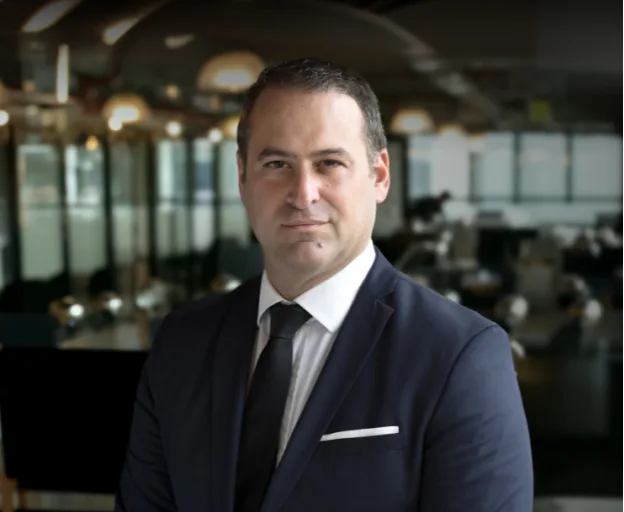
עו”ד שגיב רוטנברג מתמחה במשפט הפלילי ומעניק ללקוחותיו ייצוג משפטי מקצועי ואמין. עם ניסיון של למעלה מ-25 שנה בתחום, הוא מלווה את הלקוח לאורך כל התהליך המשפטי, תוך שמירה על זכויותיו והבטחת תוצאה מיטבית. עו”ד רוטנברג מחויב למקצועיות, נאמנות ומסירות, ומיישם אסטרטגיות מנצחות עם ראיית הלקוח במרכז.
מצב זה מאפשר לאנשים עם אפילפסיה להשתמש באתר בבטחה על ידי ביטול הסיכון להתקפים הנובעים מהנפשות מהבהבות או מהבהבות ושילובי צבעים מסוכנים.
מצב לקוי ראייה
משפר את הוויזואליה של האתר
מצב זה מתאים את האתר לנוחיותם של משתמשים עם ליקויי ראייה כגון ראייה משפילה, ראיית מנהרה, קטרקט, גלאוקומה ועוד.
מצב מוגבלות קוגניטיבית
עוזר להתמקד בתוכן ספציפי
מצב זה מספק אפשרויות סיוע שונות כדי לעזור למשתמשים עם ליקויים קוגניטיביים כגון דיסלקציה, אוטיזם, CVA ואחרים, להתמקד במרכיבים החיוניים של האתר ביתר קלות.
ADHD ידידותי ל
מפחית הסחות דעת ומשפר את המיקוד
מצב זה מספק אפשרויות סיוע שונות כדי לעזור למשתמשים עם ליקויים קוגניטיביים כגון דיסלקציה, אוטיזם, CVA ואחרים, להתמקד במרכיבים החיוניים של האתר ביתר קלות.
מצב עיוורון
מאפשר שימוש באתר עם קורא המסך שלך
מצב זה מגדיר את האתר כך שיהיה תואם לקוראי מסך כגון JAWS, NVDA, VoiceOver ו-TalkBack. קורא מסך הוא תוכנה למשתמשים עיוורים המותקנת במחשב ובסמארטפון, ואתרי אינטרנט חייבים להיות תואמים לה..
התאמות טקסט והתוכן
גופן קריא
הדגש קישורים
הדגש כותרות
קנה מידה של תוכן
ברירת מחדל
גודל גופן
ברירת מחדל
ריווח אותיות
ברירת מחדל
גובה קו
ברירת מחדל
זכוכית מגדלת טקסט
ידידותית לדיסלקציה
מיושר לימין
מיושר למרכז
מיושר לשמאל
התאמות צבעים ותצוגה
ניגודיות כהה
ניגודיות אור
ניגודיות גבוה
רוויה גבוהה
רוויה נמוכה
מונוכרום
התאם את צבעי הטקסט
התאם את צבעי הכותרת
התאם את צבעי הרקע
התמצאות קלה
השתקת צלילים
הסתר תמונות
מקלדת וירטואלית
מדריך קריאה
עצור אנימציות
מסכת קריאה
הדגש את הרחף
הדגש פוקוס
סמן שחור גדול
סמן אור גדול
מקשי ניווט
Accessibility Statement
crime-law.co.il
26 בOctober 2026
Compliance status
We firmly believe that the internet should be available and accessible to anyone, and are committed to providing a website that is accessible to the widest possible audience,
regardless of circumstance and ability.
To fulfill this, we aim to adhere as strictly as possible to the World Wide Web Consortium’s (W3C) Web Content Accessibility Guidelines 2.1 (WCAG 2.1) at the AA level.
These guidelines explain how to make web content accessible to people with a wide array of disabilities. Complying with those guidelines helps us ensure that the website is accessible
to all people: blind people, people with motor impairments, visual impairment, cognitive disabilities, and more.
This website utilizes various technologies that are meant to make it as accessible as possible at all times. We utilize an accessibility interface that allows persons with specific
disabilities to adjust the website’s UI (user interface) and design it to their personal needs.
Additionally, the website utilizes an AI-based application that runs in the background and optimizes its accessibility level constantly. This application remediates the website’s HTML,
adapts Its functionality and behavior for screen-readers used by the blind users, and for keyboard functions used by individuals with motor impairments.
If you’ve found a malfunction or have ideas for improvement, we’ll be happy to hear from you. You can reach out to the website’s operators by using the following email
Screen-reader and keyboard navigation
Our website implements the ARIA attributes (Accessible Rich Internet Applications) technique, alongside various different behavioral changes, to ensure blind users visiting with
screen-readers are able to read, comprehend, and enjoy the website’s functions. As soon as a user with a screen-reader enters your site, they immediately receive
a prompt to enter the Screen-Reader Profile so they can browse and operate your site effectively. Here’s how our website covers some of the most important screen-reader requirements,
alongside console screenshots of code examples:
Screen-reader optimization: we run a background process that learns the website’s components from top to bottom, to ensure ongoing compliance even when updating the website.
In this process, we provide screen-readers with meaningful data using the ARIA set of attributes. For example, we provide accurate form labels;
descriptions for actionable icons (social media icons, search icons, cart icons, etc.); validation guidance for form inputs; element roles such as buttons, menus, modal dialogues (popups),
and others. Additionally, the background process scans all of the website’s images and provides an accurate and meaningful image-object-recognition-based description as an ALT (alternate text) tag
for images that are not described. It will also extract texts that are embedded within the image, using an OCR (optical character recognition) technology.
To turn on screen-reader adjustments at any time, users need only to press the Alt+1 keyboard combination. Screen-reader users also get automatic announcements to turn the Screen-reader mode on
as soon as they enter the website.
These adjustments are compatible with all popular screen readers, including JAWS and NVDA.
Keyboard navigation optimization: The background process also adjusts the website’s HTML, and adds various behaviors using JavaScript code to make the website operable by the keyboard. This includes the ability to navigate the website using the Tab and Shift+Tab keys, operate dropdowns with the arrow keys, close them with Esc, trigger buttons and links using the Enter key, navigate between radio and checkbox elements using the arrow keys, and fill them in with the Spacebar or Enter key.Additionally, keyboard users will find quick-navigation and content-skip menus, available at any time by clicking Alt+1, or as the first elements of the site while navigating with the keyboard. The background process also handles triggered popups by moving the keyboard focus towards them as soon as they appear, and not allow the focus drift outside of it.
Users can also use shortcuts such as “M” (menus), “H” (headings), “F” (forms), “B” (buttons), and “G” (graphics) to jump to specific elements.
Disability profiles supported in our website
Epilepsy Safe Mode: this profile enables people with epilepsy to use the website safely by eliminating the risk of seizures that result from flashing or blinking animations and risky color combinations.
Visually Impaired Mode: this mode adjusts the website for the convenience of users with visual impairments such as Degrading Eyesight, Tunnel Vision, Cataract, Glaucoma, and others.
Cognitive Disability Mode: this mode provides different assistive options to help users with cognitive impairments such as Dyslexia, Autism, CVA, and others, to focus on the essential elements of the website more easily.
ADHD Friendly Mode: this mode helps users with ADHD and Neurodevelopmental disorders to read, browse, and focus on the main website elements more easily while significantly reducing distractions.
Blindness Mode: this mode configures the website to be compatible with screen-readers such as JAWS, NVDA, VoiceOver, and TalkBack. A screen-reader is software for blind users that is installed on a computer and smartphone, and websites must be compatible with it.
Keyboard Navigation Profile (Motor-Impaired): this profile enables motor-impaired persons to operate the website using the keyboard Tab, Shift+Tab, and the Enter keys. Users can also use shortcuts such as “M” (menus), “H” (headings), “F” (forms), “B” (buttons), and “G” (graphics) to jump to specific elements.
Additional UI, design, and readability adjustments
Font adjustments – users, can increase and decrease its size, change its family (type), adjust the spacing, alignment, line height, and more.
Color adjustments – users can select various color contrast profiles such as light, dark, inverted, and monochrome. Additionally, users can swap color schemes of titles, texts, and backgrounds, with over 7 different coloring options.
Animations – epileptic users can stop all running animations with the click of a button. Animations controlled by the interface include videos, GIFs, and CSS flashing transitions.
Content highlighting – users can choose to emphasize important elements such as links and titles. They can also choose to highlight focused or hovered elements only.
Audio muting – users with hearing devices may experience headaches or other issues due to automatic audio playing. This option lets users mute the entire website instantly.
Cognitive disorders – we utilize a search engine that is linked to Wikipedia and Wiktionary, allowing people with cognitive disorders to decipher meanings of phrases, initials, slang, and others.
Additional functions – we provide users the option to change cursor color and size, use a printing mode, enable a virtual keyboard, and many other functions.
Browser and assistive technology compatibility
We aim to support the widest array of browsers and assistive technologies as possible, so our users can choose the best fitting tools for them, with as few limitations as possible. Therefore, we have worked very hard to be able to support all major systems that comprise over 95% of the user market share including Google Chrome, Mozilla Firefox, Apple Safari, Opera and Microsoft Edge, JAWS and NVDA (screen readers), both for Windows and for MAC users.
Notes, comments, and feedback
Despite our very best efforts to allow anybody to adjust the website to their needs, there may still be pages or sections that are not fully accessible, are in the process of becoming accessible, or are lacking an adequate technological solution to make them accessible. Still, we are continually improving our accessibility, adding, updating and improving its options and features, and developing and adopting new technologies. All this is meant to reach the optimal level of accessibility, following technological advancements. For any assistance, please reach out to
 יצוג פלילי
 אינטרפול
 עבירות סמים
 עורך דין עבירות מין
 עבירות צווארון לבן
 נפגעי עבירה