עו״ד שגיב רוטנברג | עודכן: ספטמבר 2026
גיליתם שיש עליכם רישום במשטרה, בדרך כלל אחרי דחייה ממשרה, מרישיון או ממכרז, וגם אם מעולם לא הועמדתם לדין. הדבר הראשון שצריך לדעת הוא ששני מרשמים שונים מתערבבים כאן: רישום משטרתי הוא מידע על חקירה או על תיק שנסגר בלי הרשעה, ורישום פלילי נוצר רק כשבית משפט הרשיע. לכל אחד מסלול הסרה אחר, גורם מחליט אחר וסיכויים אחרים. לפני שמגישים משהו מפיקים את המידע הפלילי כדי לראות מה בדיוק רשום, ובודקים אם הצעד הנכון הוא בקשה לביטול הרישום, בקשה לשינוי עילת הסגירה, או פשוט המתנה לביטול האוטומטי.
מה ההבדל בין רישום משטרתי לרישום פלילי?
רישום פלילי הוא הרשעה בבית משפט, והוא נוצר רק כשהוגש כתב אישום, ההליך התנהל ובית המשפט הרשיע. אם לא הורשעתם, אין לכם רישום פלילי. רישום משטרתי הוא מידע על מעורבות בהליך פלילי שלא הבשיל להרשעה: תיק שנסגר אחרי חקירה, תיק שעוכבו בו ההליכים ולעיתים גם תלונה שנחקרה. אדם שלא הועמד לדין מעולם יכול בהחלט להחזיק ברישום משטרתי, וזה המקרה השכיח.
| פרמטר |
רישום משטרתי |
רישום פלילי |
| מתי נוצר |
חקירה שנפתחה ותיק שנסגר, או עיכוב הליכים |
הרשעה בבית משפט |
| הייתה הרשעה |
לא |
כן |
| מי רואה את המידע |
מעגל מצומצם: משטרה, גופי ביטחון, רישוי נשק וגופים ציבוריים מסוימים |
מעגל רחב יותר של גופים שהחוק הסמיך, שמצטמצם עם הזמן |
| המונח המשפטי להסרה |
ביטול פרט רישום משטרתי |
מחיקה או חנינה |
| לאן פונים |
הגורם המוסמך במשטרה; בשינוי עילת סגירה לפרקליטות או לתביעה המשטרתית |
נשיא המדינה בבקשת חנינה, בהמלצת משרד המשפטים |
| הסרה אוטומטית |
בעבירה שאינה פשע: שבע שנים מהאירוע, ולקטין חמש שנים |
בתום תקופת התיישנות ואחריה תקופת מחיקה, לפי חומרת העבירה והעונש |
ההבחנה אינה סמנטית: היא קובעת לאיזה גורם פונים, באיזה מסלול ומה נטל השכנוע. בקשת חנינה לנשיא המדינה על תיק סגור, למשל, תוחזר, כי אין מה לחון כשאין הרשעה. מעבר לשני המרשמים קיים גם מידע על תיק תלוי ועומד, כלומר הליך פלילי שטרם הסתיים. זה אינו רישום במובן הרגיל אלא סטטוס זמני, אבל הוא נמסר לגורמים מסוימים ויכול לחסום קבלה לעבודה או רישיון בזמן אמת.
התיק שלי נסגר, למה עדיין יש לי רישום?
סגירת תיק אינה מוחקת את קיומו, אלא קובעת שלא יוגש כתב אישום. עצם החקירה, זהות החשוד, סוג העבירה ועילת הסגירה ממשיכים להיות מתועדים במרשם המשטרתי ונמסרים לגורמים שהחוק הסמיך לקבלם.
מה שרוב האנשים לא יודעים הוא שלא כל סגירה נראית אותו דבר, ולעילת הסגירה יש היררכיה:
- חוסר אשמה — העילה הטובה ביותר. משמעותה שהחשד לא היה מבוסס, והיא מותירה את הרישום הפוגעני פחות מכולם.
- חוסר ראיות — החומר לא הספיק להעמדה לדין. גורמים בוחנים קוראים אותה כאמירה שהחשד לא נשלל, אלא רק לא הוכח.
- חוסר עניין לציבור — העילה הבעייתית ביותר, כי היא מניחה במובלע שהיה בסיס לחשד ורק שיקולי מדיניות הובילו לסגירה.
מכאן נגזר מסלול שרבים מפספסים: לפני שמבקשים ביטול, לעיתים נכון יותר לבקש שינוי עילת סגירה, למשל מחוסר עניין לציבור לחוסר אשמה. הבקשה מוגשת לגורם התובע שסגר את התיק, והיא לרוב ההליך הזול והמהיר יותר. במקרים לא מעטים שינוי העילה לבדו מסיר את המחסום שבגללו נדחיתם.
חשוב לדעת גם שאדם אינו חייב לגלות מידע פלילי על עצמו כשמדובר בתיק סגור, בתיק שעוכבו בו ההליכים או בפרט שהתיישן או נמחק, כלפי מי שאינו זכאי לקבל את המידע לפי חוק. גוף שאינו זכאי לקבל את המידע גם אינו רשאי לשקול אותו בהחלטתו.
איך מוחקים רישום משטרתי? ההליך שלב אחר שלב
החוק מסמיך את ראש אגף חקירות ומודיעין במשטרה, או קצין בדרגת סגן ניצב ומעלה שהוסמך לכך, לבטל פרט רישום משטרתי של תיק סגור, לפי אמות מידה שנקבעו בידי שר המשפטים והשר לביטחון הפנים. בתיק שעוכבו בו ההליכים נדרשת גם הסכמת היועץ המשפטי לממשלה או מי שהוסמך לכך.
- שלב 1: הפקת המידע הפלילי שלכם. לפני כל פנייה צריך לדעת מה בדיוק רשום: סוג העבירה, תאריך האירוע, עילת הסגירה ומספר התיק. אדם זכאי לעיין במידע הפלילי שלגביו.
- שלב 2: אבחון המסלול. כאן מוכרעת הבקשה עוד לפני שנכתבה: בקשה לשינוי עילת סגירה, בקשה לביטול הרישום, שילוב של השתיים, או המתנה לביטול האוטומטי כשממילא נותרו חודשים ספורים.
- שלב 3: בניית התיק העובדתי. הבקשה נשענת על מסמכים: אישורי היעדר רישום נוסף, אישורי העסקה ולימודים, שירות מילואים, פעילות התנדבותית, ובעיקר ראיות לנזק הקונקרטי, כמו מכתב דחייה ממשרה, סירוב לרישיון או חסימת מכרז.
- שלב 4: כתיבת הבקשה. בקשה טובה מתמודדת חזיתית עם אמות המידה: הזמן שחלף, חומרת העבירה, נסיבות הסגירה, היעדר מעורבות פלילית מאז ועוצמת הפגיעה בהווה. בקשה גנרית בת עמוד אחד היא הסיבה הנפוצה ביותר לדחייה.
- שלב 5: הגשה ומעקב. אחרי ההגשה מתנהל מעקב פעיל: השלמת מסמכים ומענה לשאלות. חלק מהתיקים מוכרעים דווקא בשלב ההשלמות.
- שלב 6: החלטה, ואם צריך השגה. אם הבקשה נדחתה אפשר לשקול פנייה חוזרת מבוססת יותר, פנייה לממונה על הביקורת על מידע פלילי במשרד המשפטים, ובמקרים המתאימים עתירה מנהלית.
מחיקת רישום פלילי אחרי הרשעה: בקשת חנינה לנשיא המדינה
אם הורשעתם בבית משפט, אין גורם מנהלי שמוסמך למחוק את הרישום לפני המועדים שקבע החוק, והדרך היחידה לקצר את התקופה היא בקשת חנינה לנשיא המדינה. הבקשה מוגשת ללשכת הנשיא, נבחנת במחלקה לענייני חנינות במשרד המשפטים ומועברת עם המלצה להחלטת הנשיא.
חנינה אינה בהכרח מחיקה מלאה: היא יכולה להתבטא בקיצור תקופת ההתיישנות או המחיקה, בהסרת הרישום, בהמתקת עונש או בביטול פסילה. לכן ניסוח הסעד המבוקש הוא שיקול טקטי, ובקשה מדויקת וממוקדת גבוהה סיכויים מבקשה גורפת. מה שנשקל בפועל: חומרת העבירה ונסיבותיה, מספר ההרשעות, הזמן שחלף מאז ריצוי העונש, התנהלות נורמטיבית ושיקום מוכח, תעסוקה, שירות צבאי ומילואים, נסיבות אישיות ובריאותיות, והנזק הקונקרטי שהרישום מסב היום, לא נזק תיאורטי אלא מחסום מוכח של רישיון, מקצוע מוסדר, אשרה או מכרז.
יש עבירות שלגביהן החוק שולל התיישנות ומחיקה כליל, בעיקר עבירות חמורות שבהן הוטל מאסר בפועל ממושך. במקרים האלה המסלול היחיד הוא חנינה, בנטל כבד במיוחד.
ביטול, מחיקה, התיישנות ושינוי עילה: מה ההבדל?
ארבעת המונחים אינם נרדפים, וכל אחד מפעיל גורם אחר וסעד אחר.
| המונח |
על מה הוא חל |
מי מוסמך |
התוצאה |
| ביטול |
פרט רישום משטרתי של תיק סגור |
הגורם המוסמך במשטרה |
הרישום המשטרתי מוסר מהמרשם |
| שינוי עילת סגירה |
תיק שנסגר בעילה פוגענית |
הגורם התובע שסגר את התיק |
הרישום נשאר, אך עילתו משתפרת |
| התיישנות |
רישום פלילי בגין הרשעה |
אוטומטי מכוח החוק |
צמצום מספר הגופים הרשאים לקבל את המידע |
| מחיקה |
רישום פלילי, בתום תקופה נוספת אחרי ההתיישנות |
אוטומטי מכוח החוק |
צמצום נוסף וחריף של מעגל הגופים הזכאים למידע |
| חנינה |
רישום פלילי בגין הרשעה |
נשיא המדינה |
קיצור תקופות, הסרת רישום או הקלה בעונש |
נקודה שנעלמת מהעין: התיישנות ומחיקה אינן היעלמות. גם אחרי תקופת המחיקה נותרים גופים מסוימים, כמו המשטרה וגופי הביטחון, שרשאים לקבל את המידע בכפוף לאישור. מי שמחפש היעלמות מוחלטת צפוי לאכזבה, ומי שמחפש חסימת גישה של מעסיקים וגופים אזרחיים מקבל בדיוק את זה.
אחרי כמה שנים הרישום נמחק לבד?
ברישום משטרתי הכלל ברור: פרט רישום של תיק סגור בעבירה שאינה פשע מבוטל בתום שבע שנים מיום האירוע, ובקטינים בתום חמש שנים, אלא אם נקבע אחרת באמות המידה. שימו לב שהמניין מתחיל ביום האירוע ולא ביום סגירת התיק, והבדל הזה שווה לעיתים שנים.
ברישום פלילי המצב מדורג. חוק המידע הפלילי החליף את ההסדר האחיד הקודם, שבע שנות התיישנות ועוד עשר שנות מחיקה לכולם, במדרג שתלוי בסוג העבירה, בעונש שהוטל ובשאלה אם קיים רישום נוסף. בקצה אחד, מי שהורשע בעבירה ראשונה ויחידה שבה לא הוטל מאסר, ואינה עבירת מין, סמים או אלימות, נהנה מתקופות קצרות יחסית. בקצה האחר, בעבירות חמורות שבהן הוטל מאסר בפועל ממושך אין התיישנות ואין מחיקה כלל. בקטינים הקיצור מובהק, ומידע על עבירה שביצע מי שהיה מתחת לגיל 12 אינו נכלל במרשם כלל.
המסקנה המעשית: לפני שמשלמים על הליך, בודקים את תאריך האירוע ומחשבים את מועד הביטול או המחיקה האוטומטית. אם נותרו חודשים ספורים, לרוב אין טעם בהליך. אם נותרו שנים, ובמיוחד אם הרישום חוסם אתכם כאן ועכשיו מפרנסה, מרישיון או מהגירה, פנייה יזומה היא הצעד הנכון.
כמה עולה ההליך וכמה זמן הוא לוקח?
שכר טרחה בתחום אינו אחיד ואינו נקבע בתעריף רשמי. הוא נגזר ממורכבות התיק, מסוג העבירה, ממספר הרישומים, מהצורך בחומר משלים ומהשאלה אם נדרשת גם השגה או עתירה. הטווחים המקובלים, לצורך התמצאות בלבד:
| סוג ההליך |
טווח עלות מקובל |
משך זמן אופייני |
| בדיקה, הפקת מידע פלילי וחוות דעת ראשונית |
מאות עד אלפי שקלים בודדים |
ימים עד שבועות |
| בקשה לשינוי עילת סגירה |
אלפי שקלים בודדים |
כשלושה עד תשעה חודשים |
| בקשה לביטול רישום משטרתי |
אלפי שקלים, ובתיקים מורכבים יותר |
כשלושה עד שנים עשר חודשים |
| בקשת חנינה לנשיא המדינה |
אלפי שקלים ועד עשרות אלפים בתיקים מורכבים |
לרוב כשנה עד שנתיים |
| עתירה מנהלית על החלטת דחייה |
הגבוהה מבין המסלולים |
חודשים ועד למעלה משנה |
מה שכדאי לברר לפני שמתחייבים: אם שכר הטרחה כולל את כל שלבי ההליך או רק את ההגשה, אם הוא כולל השלמות ומענה לפניות הגורם המחליט, ואם יש תשלום נוסף בהשגה או בעתירה. הבהרה אחת שחשוב לומר במפורש: אין מי שיכול להתחייב לתוצאה, ואף גורם אינו רשאי להבטיח מחיקה. הבטחת הצלחה היא סימן אזהרה, לא סימן מקצועיות.
מה הסיכוי שיאשרו את הבקשה?
אין נתון רשמי אחד שאפשר להיתלות בו, וכל מי שמציג אחוז הצלחה מדויק ממציא אותו. מהניסיון המצטבר אפשר לזהות בבירור מה מעלה ומה מוריד סיכויים.
מה מעלה סיכויים: זמן ניכר שחלף מיום האירוע; עבירה שאינה בליבת החומרה; רישום בודד ולא היסטוריה מצטברת; היעדר מעורבות פלילית מאז; עילת סגירה טובה מראש; פגיעה קונקרטית ומוכחת בהווה, בעיקר בפרנסה, ברישיון מקצועי או בהגירה; תעסוקה יציבה, לימודים, מילואים והתנדבות; ובקשה מסודרת ומתועדת שמתמודדת ישירות עם אמות המידה.
מה מוריד סיכויים: אירוע טרי; ריבוי רישומים; עבירה חמורה או עבירה שיש בה נפגע; סגירה בחוסר עניין לציבור בעבירה בעלת מאפיינים חמורים; היעדר תיעוד לנזק; ובקשה גנרית שאינה מציגה שינוי אמיתי.
התוצאה נגזרת כמעט תמיד משני צירים: כמה זמן עבר, וכמה הרישום פוגע בכם כאן ועכשיו. תיק ישן אצל אדם נורמטיבי שהרישום חוסם לו רישיון עבודה הוא המקרה הקלאסי שבו ההליך משתלם. אירוע חמור מלפני שנה, אצל מי שאין לו נזק מוכח, הוא המקרה שבו נכון להמתין.
צריך עורך דין או אפשר להגיש לבד?
מבחינה חוקית אפשר לבד: אין חובת ייצוג, וכל אדם רשאי לעיין במידע הפלילי שלו ולהגיש בקשה בעצמו. השאלה המעשית היא אם בקשה שתגישו לבד תשיג את התוצאה, ושלוש עובדות מכריעות אותה. ההחלטה מתקבלת על הנייר, בלי דיון ובלי הזדמנות להסביר בעל פה, כך שמה שהגשתם הוא מה שנשקל. ההכרעה נעשית לפי אמות מידה מוגדרות, ובקשה שאינה מדברת בשפתן פשוט לא נוגעת במה שנבחן. ודחייה אינה ניטרלית: היא מקשה על פנייה חוזרת, שמחייבת להצביע על שינוי נסיבות ממשי.
סביר לפעול לבד כשמדובר בהפקת המידע הפלילי לצורך בדיקה, כשנותרו חודשים בודדים לביטול האוטומטי, או בעבירה קלה מלפני שנים רבות בלי היסטוריה נוספת. לא כדאי לפעול לבד כשקיימת הרשעה, בעבירות מין, סמים או אלימות, כשיש יותר מרישום אחד, כשהתיק נסגר בחוסר עניין לציבור, כשהרישום חוסם רישיון, מקצוע מוסדר, הגירה או מכרז, כשכבר נדחיתם בעבר, וכשנשקלת השגה או עתירה מנהלית.
ליווי בהליכי ביטול ומחיקת רישום
משרד עורכי הדין רוטנברג מטפל בהליכי ביטול רישום משטרתי, שינוי עילת סגירה, בקשות חנינה לנשיא המדינה והשגות על החלטות דחייה. בפגישת ייעוץ ראשונה אפשר לקבל תמונת מצב מדויקת: מה רשום, מה ניתן להסיר, באיזה מסלול, ומה הסיכויים הריאליים, וגם, כשזה המצב, המלצה כנה שלא כדאי לפתוח בהליך. אפשר לפנות לעורך דין פלילי גם רק כדי לבדוק מה קיים לפני שמחליטים. מידע נוסף על בדיקת רישום פלילי ועל מחיקת רישום ללא הרשעה.
שאלות ותשובות
יש לי רישום במשטרה, איך מוחקים אותו?
מפיקים תחילה את המידע הפלילי כדי לראות מה רשום ובאיזו עילה נסגר התיק, ואז בוחרים מסלול: בקשה לביטול פרט הרישום אצל הגורם המוסמך במשטרה, או בקשה לשינוי עילת הסגירה אצל הגורם התובע. בהרשעה המסלול שונה לגמרי והוא בקשת חנינה.
התיק שלי נסגר, למה יש עדיין רישום?
סגירת תיק קובעת שלא יוגש כתב אישום, אבל החקירה, סוג העבירה ועילת הסגירה נשארים מתועדים ונמסרים לגורמים שהחוק הסמיך. עילת הסגירה היא שקובעת עד כמה הרישום פוגעני.
אחרי כמה שנים הרישום נמחק לבד?
רישום משטרתי של תיק סגור בעבירה שאינה פשע מבוטל בתום שבע שנים מיום האירוע, ובקטינים בתום חמש שנים. ברישום פלילי התקופות מדורגות לפי העבירה והעונש, ובעבירות החמורות ביותר אין מחיקה כלל.
מה ההבדל בין ביטול למחיקה?
ביטול חל על פרט רישום משטרתי של תיק סגור ומוסר אותו מהמרשם. מחיקה חלה על רישום פלילי בגין הרשעה, היא אוטומטית בתום התקופות שבחוק, ומשמעותה צמצום מעגל הגופים שרשאים לקבל את המידע.
כמה עולה ההליך?
אין תעריף רשמי. בקשה לשינוי עילת סגירה או לביטול רישום משטרתי נעה בטווח של אלפי שקלים, ובקשת חנינה מורכבת יכולה להגיע לעשרות אלפים. כדאי לברר מראש אם המחיר כולל את כל שלבי ההליך ואת ההשלמות.
מה הסיכוי שיאשרו?
אין נתון רשמי, והסיכוי נגזר בעיקר משני משתנים: הזמן שחלף מיום האירוע ועוצמת הפגיעה המוכחת שהרישום גורם לכם היום. עבירה קלה, רישום בודד, שנים ללא מעורבות פלילית ונזק מתועד הם הצירוף בעל הסיכויים הטובים.
אפשר לבטל רישום בתיק שעוכבו בו ההליכים?
כן, אבל נדרשת בנוסף הסכמת היועץ המשפטי לממשלה או מי שהוסמך לכך, ולכן זה הליך ארוך יותר שדורש בקשה מנומקת במיוחד.
דחו לי בקשה בעבר, יש עוד מה לעשות?
כן, אבל פנייה חוזרת מחייבת להצביע על שינוי נסיבות ממשי מאז ההחלטה: זמן שחלף, נזק חדש שהתגבש, תיעוד שלא הוצג קודם או שינוי בעילת הסגירה. אפשר גם לפנות לממונה על הביקורת על מידע פלילי, ובמקרים המתאימים להגיש עתירה מנהלית.
המידע בעמוד הוא מידע כללי ואינו ייעוץ משפטי או תחליף לו. כל מקרה נבחן לפי נסיבותיו, והוראות הדין משתנות מעת לעת.
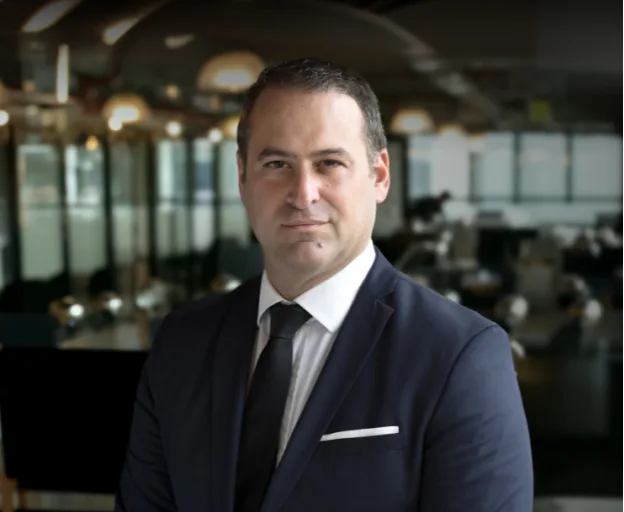
עו”ד שגיב רוטנברג מתמחה במשפט הפלילי ומעניק ללקוחותיו ייצוג משפטי מקצועי ואמין. עם ניסיון של למעלה מ-25 שנה בתחום, הוא מלווה את הלקוח לאורך כל התהליך המשפטי, תוך שמירה על זכויותיו והבטחת תוצאה מיטבית. עו”ד רוטנברג מחויב למקצועיות, נאמנות ומסירות, ומיישם אסטרטגיות מנצחות עם ראיית הלקוח במרכז.

 יצוג פלילי
 אינטרפול
 עבירות סמים
 עורך דין עבירות מין
 עבירות צווארון לבן
 נפגעי עבירה