אם הגיע אליך זימון לחקירה, הוצא נגדך כתב אישום, או שאתה חושד שאתה נמצא תחת חקירה – ואת כולן בנוגע לזיוף מסמכים – חשוב שתבין מה עומד בפניך. זיוף מסמכים הוא אחד מהאיומים המשפטיים החמורים יותר בגדר עורך דין פלילי, ולא מדובר בעבירה שניתן להמעיט בחומרתה. החוק הישראלי מתייחס אליה בכובד ראש, ובית המשפט אינו נוהג ברוך.
על פי חוק העונשין, תשל”ז-1977, עבירת זיוף מסמכים מוגדרת בסעיף 418 ככל פעולה שמטרתה ליצור מסמך מזויף או לשנות מסמך קיים כדי שייראה מקורי – בין אם מדובר בחתימה, בחותמת, בתוכן עצמו ובין אם בפרט מזהה אחר. העבירה אינה מסתכמת רק בייצור המסמך; השימוש בו (סעיף 419) והחזקתו (סעיף 420) מהווים עבירות עצמאיות, גם אם לא אתה הזייפן המקורי.
המאפיין הבולט של תיקי זיוף הוא שהם מצריכים הבנה מעמיקה הן של הדין הפלילי והן של הנסיבות העובדתיות. ככל שתפעל מוקדם יותר, כך גדלים הסיכויים לתוצאה טובה יותר.
לייצוג בעבירות זיוף מסמכים - השאירו פרטים
מה קובע החוק – הגדרת העבירה ומרכיביה
הגדרה בסעיף 418 לחוק העונשין
סעיף 418 לחוק העונשין מגדיר זיוף מסמכים כעשיית מסמך כוזב – יצירה, שינוי, או הוספה של פרטים במסמך, במטרה להונות. לא נדרש שהמסמך ישמש בפועל להונות; די בכוונה בעת הכנתו. החוק מכסה מסמכים ציבוריים, מסמכים פרטיים, תעודות, חוזים, מכתבים, חתימות, וחותמות.
שימוש במסמך מזויף – סעיף 419
סעיף 419 מרחיב את האחריות גם למי שלא זייף בעצמו. אם קיבלת לידיך מסמך שאתה יודע שהוא מזויף, והשתמשת בו – הצגתו בפני רשות, הגשתו לבנק, שליחתו כחלק מהסכם – אתה חשוף לאישום פלילי עצמאי. כוונה ומודעות הן אלמנטים מרכזיים שהתביעה תנסה להוכיח.
החזקת מסמך מזויף – סעיף 420
סעיף 420 עוסק בהחזקת מסמך מזויף בכוונה להשתמש בו. גם אם לא הספקת לפעול, ממצא פיזי של המסמך ברשותך – בטלפון, במחשב, בתיק – עלול להספיק לכתב אישום.
סוגי הזיוף וטווח הענישה
זיוף מסמך ציבורי לעומת מסמך פרטי
החוק מבחין בין זיוף מסמכים ציבוריים – כגון תעודות ממשלתיות, מסמכי רישוי, פסקי דין – לבין זיוף מסמכים פרטיים כמו חוזים, קורות חיים, תלושי שכר. זיוף מסמך ציבורי מסווג כחמור יותר ועונשו יכול להגיע עד שבע שנות מאסר, ואילו זיוף מסמך פרטי – עד שלוש שנות מאסר.
זיוף חתימות, חותמות ומסמכים דיגיטליים
עם ההתפתחות הטכנולוגית, הרחיב המחוקק את הגדרת “המסמך” כדי לכלול קבצים דיגיטליים, חתימות אלקטרוניות, ואישורים מקוונים. זיוף חתימה דיגיטלית על חוזה, שינוי קובץ PDF – כל אלה עלולים לנפול תחת הגדרת החוק.
תרחישים נפוצים בפרקטיקה
בפרקטיקה, תיקי זיוף מסמכים מתעוררים לרוב בהקשרים הבאים: זיוף תעודות השכלה לצורך קבלת עבודה, שינוי תלוש שכר לצורך קבלת הלוואה, זיוף מסמכי העסקה, תעודות מקצועיות, ומסמכים משפטיים. ישנה חפיפה משמעותית עם עבירות צווארון לבן – תרמית, מרמה, וגניבה – שלעיתים קרובות מתלוות לאישומי הזיוף.
אם קיבלת זימון לחקירה במשטרה בחשד לזיוף מסמכים, הדבר הראשון שאתה צריך לעשות הוא לא להגיע לחקירה לפני שדיברת עם עורך דין. זכותך לייעוץ משפטי לפני חקירה ובמהלכה היא זכות חוקתית. גם אם אתה בטוח שמדובר באי-הבנה – אל תשתף פעולה ללא ליווי.
שלב השימוע לפני כתב אישום
לפני הגשת כתב אישום, זכאי החשוד לעיתים קרובות להגיש את עמדתו במסגרת שימוע לפני כתב אישום. זה שלב קריטי שבו ניתן, כאשר מוגש נכון, לשכנע את פרקליטות המדינה לסגור את התיק, לצמצם את האישומים, או לקדם הסדר מחוץ לכתלי בית המשפט.
אסטרטגיות הגנה בתיקי זיוף מסמכים
הפרכת יסוד הכוונה
הכוונה הפלילית היא אחד מיסודות העבירה. ללא הוכחת כוונה להונות, קשה לתביעה לבסס הרשעה. הגנה אפשרית אחת היא הוכחה שלא ידעת שהמסמך מזויף – למשל, קיבלת אותו מגורם שלישי בתום לב.
ערעור על ראיות המומחה
בתיקי זיוף, תביעת המדינה נשענת לרוב על חוות דעת גרפולוגית, פורנזיקה דיגיטלית, או חוות דעת מסמכים. ראיות מסוג זה ניתנות לתקיפה – מומחי הגנה יכולים להגיש חוות דעת נגדית.
פגמים דיוניים ובעיות קבילות
לא פעם, דרך הגעת הראיות לידי הרשויות מעוררת שאלות משפטיות. פגמים דיוניים יכולים להוביל לפסילת ראיות מרכזיות. הייצוג הפלילי שתקבל בשלבים הראשונים יקבע אם פגמים אלו יתגלו ויפעלו לטובתך.
ממליצה בחום!!! אין משרד אחר שיכל לייצג אותי בצורה הטובה ביותר כמו המשרד שלכם. על כן, ברצוני להביע את תודתי מעומק הלב על העבודה הנפלאה והטיפול המסור. זה מה שנקרא עבודת קודש אין לי ספק שלבחור בכם הייתה בחירה מצויינת! הזמינות, ההיענות, המסירות אלפי תודות!
בפנייתי לעו״ד ניר רוטנברג נענתי באופן מקצועי, יעיל והכי חשוב זמין! תמיד שהתקשרתי בזמן מצוקה, אף בשעות לא שגרתיות, תמיד קיבלנו מענה אני ובני משפחתי. עו״ד ניר רוטנברג רהוט, מסביר פנים, ידען ומקצועי באופן יוצא מן הכלל! בשמי ובשם משפחתי אנו מודים לך. בזכותך אנו בטוחים שנצליח לשקם את חיינו.
מה קורה לאחר כתב האישום
ניהול ההליך בבית המשפט
אם הוגש כתב אישום, ניהול ההגנה בבית המשפט כולל חקירת עדי התביעה, הגשת ראיות נגד, ועדויות הגנה. בתיקי זיוף, החקירה הנגדית של מומחה הכתב-יד או המומחה הדיגיטלי היא לרוב ציר ההגנה המרכזי.
הסדרי טיעון ומה כדאי לשקול
בחלק מהתיקים קיימת אפשרות להגיע להסדר טיעון עם התביעה – כפיית אשמה לעבירה קלה יותר, ענישה שאינה כוללת מאסר בפועל. ההחלטה תלויה בעובדות הספציפיות של התיק ובנסיבותיך האישיות.
שאלות נפוצות
מה נחשב כזיוף מסמכים לפי החוק הישראלי?
כל פעולה שמטרתה ליצור, לשנות, או להשלים מסמך כדי שייראה אמיתי בעוד שאינו – בין אם מדובר בחתימה, בתוכן, בחותמת, או בפרט מזהה אחר – עלולה לעלות לכדי עבירת זיוף לפי סעיף 418 לחוק העונשין.
האם זיוף של מסמך דיגיטלי נחשב כעבירה?
כן. בתי המשפט בישראל פירשו את הגדרת “מסמך” כחלה גם על קבצים דיגיטליים, מסמכי PDF, חתימות אלקטרוניות ואישורים מקוונים. שינוי קובץ דיגיטלי, הוספת חתימה סרוקה ללא הרשאה – כל אלה עלולים להוביל לאישום פלילי.
מה טווח הענישה בעבירת זיוף מסמכים?
הענישה תלויה בסוג המסמך ובנסיבות. זיוף מסמך פרטי – עד שלוש שנות מאסר. זיוף מסמך ציבורי – עד שבע שנות מאסר. שימוש במסמך מזויף (סעיף 419) – עד שלוש שנות מאסר.
האם ניתן לסגור תיק זיוף מסמכים לפני שמוגש כתב אישום?
כן, ובתנאים מסוימים זה נפוץ. אם הראיות נגדך אינן מוצקות, אם הנסיבות מלמדות על מעידה חד-פעמית, אם אין נפגע מוגדר – יש סיכוי לסגירת התיק בשלב מקדמי. שימוע מקצועי ומוכן היטב הוא הכלי המרכזי לכך.
מה עליי לעשות אם אני נחקר בחשד לזיוף מסמכים?
אל תגיע לחקירה לפני שדיברת עם עורך דין. אל תשלח מסרים, אל תמחק קבצים, ואל תיצור קשר עם גורמים אחרים הקשורים לתיק. פנה לייעוץ מקצועי מיד – ככל שתפעל מוקדם יותר, כך אפשרויות ההגנה שלך רחבות יותר.
לייעוץ ראשוני אישי
עבירת זיוף מסמכים היא עבירה חמורה שמחייבת התמודדות מקצועית כבר מהרגע הראשון. כל תיק שונה, כל נסיבה משמעותית – והדרך שבה תנהל את ההגנה בשלבים הראשונים תקבע במידה רבה את התוצאה. משרד רוטנברג – עורכי דין פלילי – מלווה נאשמים בתיקי זיוף מסמכים מזה 25 שנים.
זומנתם לחקירה בחשד לזיוף מסמכים? פנו אלינו לייעוץ משפטי
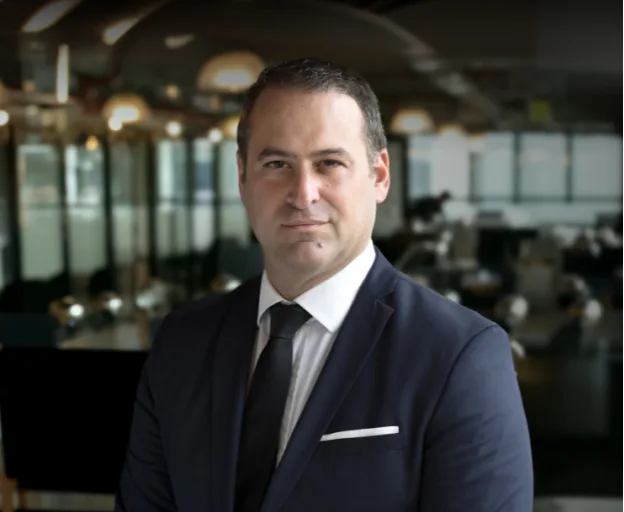
עו”ד שגיב רוטנברג מתמחה במשפט הפלילי ומעניק ללקוחותיו ייצוג משפטי מקצועי ואמין. עם ניסיון של למעלה מ-25 שנה בתחום, הוא מלווה את הלקוח לאורך כל התהליך המשפטי, תוך שמירה על זכויותיו והבטחת תוצאה מיטבית. עו”ד רוטנברג מחויב למקצועיות, נאמנות ומסירות, ומיישם אסטרטגיות מנצחות עם ראיית הלקוח במרכז.
מצב זה מאפשר לאנשים עם אפילפסיה להשתמש באתר בבטחה על ידי ביטול הסיכון להתקפים הנובעים מהנפשות מהבהבות או מהבהבות ושילובי צבעים מסוכנים.
מצב לקוי ראייה
משפר את הוויזואליה של האתר
מצב זה מתאים את האתר לנוחיותם של משתמשים עם ליקויי ראייה כגון ראייה משפילה, ראיית מנהרה, קטרקט, גלאוקומה ועוד.
מצב מוגבלות קוגניטיבית
עוזר להתמקד בתוכן ספציפי
מצב זה מספק אפשרויות סיוע שונות כדי לעזור למשתמשים עם ליקויים קוגניטיביים כגון דיסלקציה, אוטיזם, CVA ואחרים, להתמקד במרכיבים החיוניים של האתר ביתר קלות.
ADHD ידידותי ל
מפחית הסחות דעת ומשפר את המיקוד
מצב זה מספק אפשרויות סיוע שונות כדי לעזור למשתמשים עם ליקויים קוגניטיביים כגון דיסלקציה, אוטיזם, CVA ואחרים, להתמקד במרכיבים החיוניים של האתר ביתר קלות.
מצב עיוורון
מאפשר שימוש באתר עם קורא המסך שלך
מצב זה מגדיר את האתר כך שיהיה תואם לקוראי מסך כגון JAWS, NVDA, VoiceOver ו-TalkBack. קורא מסך הוא תוכנה למשתמשים עיוורים המותקנת במחשב ובסמארטפון, ואתרי אינטרנט חייבים להיות תואמים לה..
התאמות טקסט והתוכן
גופן קריא
הדגש קישורים
הדגש כותרות
קנה מידה של תוכן
ברירת מחדל
גודל גופן
ברירת מחדל
ריווח אותיות
ברירת מחדל
גובה קו
ברירת מחדל
זכוכית מגדלת טקסט
ידידותית לדיסלקציה
מיושר לימין
מיושר למרכז
מיושר לשמאל
התאמות צבעים ותצוגה
ניגודיות כהה
ניגודיות אור
ניגודיות גבוה
רוויה גבוהה
רוויה נמוכה
מונוכרום
התאם את צבעי הטקסט
התאם את צבעי הכותרת
התאם את צבעי הרקע
התמצאות קלה
השתקת צלילים
הסתר תמונות
מקלדת וירטואלית
מדריך קריאה
עצור אנימציות
מסכת קריאה
הדגש את הרחף
הדגש פוקוס
סמן שחור גדול
סמן אור גדול
מקשי ניווט
Accessibility Statement
crime-law.co.il
12 בOctober 2026
Compliance status
We firmly believe that the internet should be available and accessible to anyone, and are committed to providing a website that is accessible to the widest possible audience,
regardless of circumstance and ability.
To fulfill this, we aim to adhere as strictly as possible to the World Wide Web Consortium’s (W3C) Web Content Accessibility Guidelines 2.1 (WCAG 2.1) at the AA level.
These guidelines explain how to make web content accessible to people with a wide array of disabilities. Complying with those guidelines helps us ensure that the website is accessible
to all people: blind people, people with motor impairments, visual impairment, cognitive disabilities, and more.
This website utilizes various technologies that are meant to make it as accessible as possible at all times. We utilize an accessibility interface that allows persons with specific
disabilities to adjust the website’s UI (user interface) and design it to their personal needs.
Additionally, the website utilizes an AI-based application that runs in the background and optimizes its accessibility level constantly. This application remediates the website’s HTML,
adapts Its functionality and behavior for screen-readers used by the blind users, and for keyboard functions used by individuals with motor impairments.
If you’ve found a malfunction or have ideas for improvement, we’ll be happy to hear from you. You can reach out to the website’s operators by using the following email
Screen-reader and keyboard navigation
Our website implements the ARIA attributes (Accessible Rich Internet Applications) technique, alongside various different behavioral changes, to ensure blind users visiting with
screen-readers are able to read, comprehend, and enjoy the website’s functions. As soon as a user with a screen-reader enters your site, they immediately receive
a prompt to enter the Screen-Reader Profile so they can browse and operate your site effectively. Here’s how our website covers some of the most important screen-reader requirements,
alongside console screenshots of code examples:
Screen-reader optimization: we run a background process that learns the website’s components from top to bottom, to ensure ongoing compliance even when updating the website.
In this process, we provide screen-readers with meaningful data using the ARIA set of attributes. For example, we provide accurate form labels;
descriptions for actionable icons (social media icons, search icons, cart icons, etc.); validation guidance for form inputs; element roles such as buttons, menus, modal dialogues (popups),
and others. Additionally, the background process scans all of the website’s images and provides an accurate and meaningful image-object-recognition-based description as an ALT (alternate text) tag
for images that are not described. It will also extract texts that are embedded within the image, using an OCR (optical character recognition) technology.
To turn on screen-reader adjustments at any time, users need only to press the Alt+1 keyboard combination. Screen-reader users also get automatic announcements to turn the Screen-reader mode on
as soon as they enter the website.
These adjustments are compatible with all popular screen readers, including JAWS and NVDA.
Keyboard navigation optimization: The background process also adjusts the website’s HTML, and adds various behaviors using JavaScript code to make the website operable by the keyboard. This includes the ability to navigate the website using the Tab and Shift+Tab keys, operate dropdowns with the arrow keys, close them with Esc, trigger buttons and links using the Enter key, navigate between radio and checkbox elements using the arrow keys, and fill them in with the Spacebar or Enter key.Additionally, keyboard users will find quick-navigation and content-skip menus, available at any time by clicking Alt+1, or as the first elements of the site while navigating with the keyboard. The background process also handles triggered popups by moving the keyboard focus towards them as soon as they appear, and not allow the focus drift outside of it.
Users can also use shortcuts such as “M” (menus), “H” (headings), “F” (forms), “B” (buttons), and “G” (graphics) to jump to specific elements.
Disability profiles supported in our website
Epilepsy Safe Mode: this profile enables people with epilepsy to use the website safely by eliminating the risk of seizures that result from flashing or blinking animations and risky color combinations.
Visually Impaired Mode: this mode adjusts the website for the convenience of users with visual impairments such as Degrading Eyesight, Tunnel Vision, Cataract, Glaucoma, and others.
Cognitive Disability Mode: this mode provides different assistive options to help users with cognitive impairments such as Dyslexia, Autism, CVA, and others, to focus on the essential elements of the website more easily.
ADHD Friendly Mode: this mode helps users with ADHD and Neurodevelopmental disorders to read, browse, and focus on the main website elements more easily while significantly reducing distractions.
Blindness Mode: this mode configures the website to be compatible with screen-readers such as JAWS, NVDA, VoiceOver, and TalkBack. A screen-reader is software for blind users that is installed on a computer and smartphone, and websites must be compatible with it.
Keyboard Navigation Profile (Motor-Impaired): this profile enables motor-impaired persons to operate the website using the keyboard Tab, Shift+Tab, and the Enter keys. Users can also use shortcuts such as “M” (menus), “H” (headings), “F” (forms), “B” (buttons), and “G” (graphics) to jump to specific elements.
Additional UI, design, and readability adjustments
Font adjustments – users, can increase and decrease its size, change its family (type), adjust the spacing, alignment, line height, and more.
Color adjustments – users can select various color contrast profiles such as light, dark, inverted, and monochrome. Additionally, users can swap color schemes of titles, texts, and backgrounds, with over 7 different coloring options.
Animations – epileptic users can stop all running animations with the click of a button. Animations controlled by the interface include videos, GIFs, and CSS flashing transitions.
Content highlighting – users can choose to emphasize important elements such as links and titles. They can also choose to highlight focused or hovered elements only.
Audio muting – users with hearing devices may experience headaches or other issues due to automatic audio playing. This option lets users mute the entire website instantly.
Cognitive disorders – we utilize a search engine that is linked to Wikipedia and Wiktionary, allowing people with cognitive disorders to decipher meanings of phrases, initials, slang, and others.
Additional functions – we provide users the option to change cursor color and size, use a printing mode, enable a virtual keyboard, and many other functions.
Browser and assistive technology compatibility
We aim to support the widest array of browsers and assistive technologies as possible, so our users can choose the best fitting tools for them, with as few limitations as possible. Therefore, we have worked very hard to be able to support all major systems that comprise over 95% of the user market share including Google Chrome, Mozilla Firefox, Apple Safari, Opera and Microsoft Edge, JAWS and NVDA (screen readers), both for Windows and for MAC users.
Notes, comments, and feedback
Despite our very best efforts to allow anybody to adjust the website to their needs, there may still be pages or sections that are not fully accessible, are in the process of becoming accessible, or are lacking an adequate technological solution to make them accessible. Still, we are continually improving our accessibility, adding, updating and improving its options and features, and developing and adopting new technologies. All this is meant to reach the optimal level of accessibility, following technological advancements. For any assistance, please reach out to
 יצוג פלילי
 אינטרפול
 עבירות סמים
 עורך דין עבירות מין
 עבירות צווארון לבן
 נפגעי עבירה