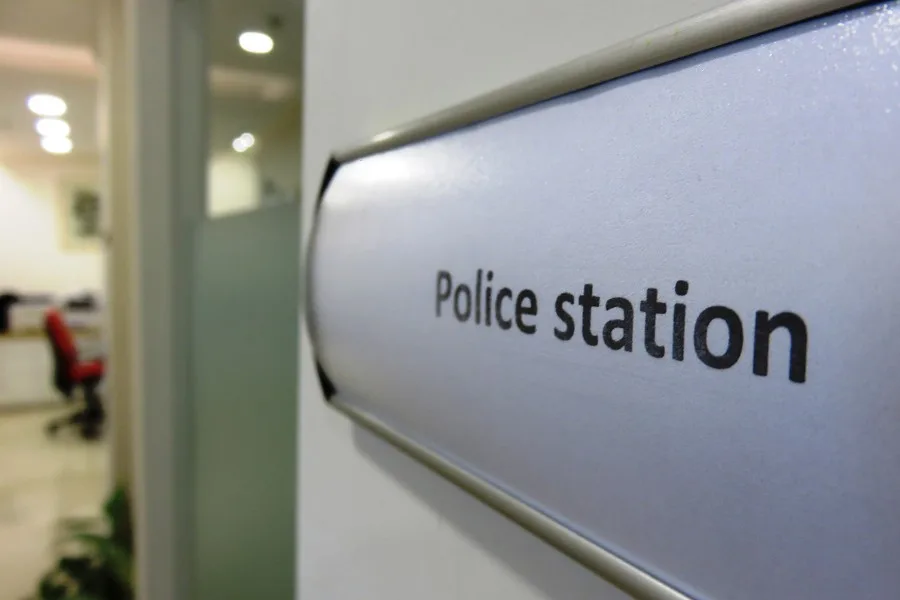
עבירת איומים היא עבירה פלילית לפי סעיף 192 לחוק העונשין הישראלי, הקובע כי “המאיים על אדם בכל דרך שהיא בפגיעה שלא כדין בגופו, בחירותו, בנכסיו, בשמו הטוב או בפרנסתו, שלו או של אדם אחר, בכוונה להפחיד את האדם או להקניטו, דינו – מאסר שלוש שנים”.
עבירות האיומים יכולה להתפרס על מגוון רב של אפשרויות ואמירות שמתוכם יהיו כאלו שהן ברורות ושניתן להרשיע בגין השמעתם במשפט פלילי וכאלו שנמצאות במקום אפור ולא ברור האם השמעתם מהווה איום לפי חוק העונשין אם לאו.
המבחן הכללי כדי לדעת האם נעברה עבירת איומים היא לפי אמות המידה הערכיות האובייקטיביות, כלומר,האם אדם רגיל מן היישוב היה חש מאויים נוכח הדברים שהושמעו. יתכן, שהאדם שכלפיו הושמעו ההערות לא יחוש מאויים אולם בית המשפט יבחן האם הדברים שנאמרו היו מעוררים אימה בקרב אדם מן היישוב ובהתאם לכך יכריע.
היסוד הנפשי של עבירת האיומים כולל את הלכת הצפיות שלפיו יתכן שמוסר האמרה לא התכוון לאיים או להפחיד את האדם שכלפיו נאמרה האמרה אולם מספיק לצורך הרשעה בפלילים שמוסר האמרה האמין ברמה גבוהה של הסתברות כי האמרה יכולה להפחיד את האדם שכלפיו נאמרה ובכך ליצור איום והפחדה.
מתי אזהרה מותרת תהפוך לאיום אסור
קיימת אפשרות לזהות איום אסור לפי הנסיבות שבהן האיום נאמר ובהתאם למסר שרצה מוסר האמרה להעביר כך שבדיקת תוכן האמרה מתבצעת בהתאם לנסיבות האמירה ובהקשר לנסיבות אמירתה. אם לאומר האמרה יש השפעה על מימוש הסכנה שגלומה בתוך האמרה אזי מדובר באיום ולא באזהרה מותרת.
איום בהתנהגות
איום יכול להיות בדרך של התנהגות ולאו דווקא באופן מילולי, כך שלעיתים די בהצגת ״מצג מאיים״ או ״נוכחות מאיימת״ כדי ליצור איום וזה יכול להיות בדרך מפורשת וגם בדרך אגבית ולא ברורה.
בהתאם לחוק העונשין הרי שאיום יכול להיות בכל דרך ואין רשימה סגורה שבה נמסר איום וזה יכול להיעשות בעל פה, בהתנהגות או באמצעות שליחת דואר אלקטרוני או באמצעים עקיפים אחרים.
חבר לשכת עורכי הדין משנת 1997, התמחה אצל עו”ד דן אבי יצחק. עורך דין פלילי ניר רוטנברג עוסק במשפט פלילי למעלה מ20 שנה הינו מוותיקי עורכי הדין הפליליים בארץ וטיפל בתיקים פליליים מורכבים מאוד, בארץ ובחו”ל.
מצב זה מאפשר לאנשים עם אפילפסיה להשתמש באתר בבטחה על ידי ביטול הסיכון להתקפים הנובעים מהנפשות מהבהבות או מהבהבות ושילובי צבעים מסוכנים.
מצב לקוי ראייה
משפר את הוויזואליה של האתר
מצב זה מתאים את האתר לנוחיותם של משתמשים עם ליקויי ראייה כגון ראייה משפילה, ראיית מנהרה, קטרקט, גלאוקומה ועוד.
מצב מוגבלות קוגניטיבית
עוזר להתמקד בתוכן ספציפי
מצב זה מספק אפשרויות סיוע שונות כדי לעזור למשתמשים עם ליקויים קוגניטיביים כגון דיסלקציה, אוטיזם, CVA ואחרים, להתמקד במרכיבים החיוניים של האתר ביתר קלות.
ADHD ידידותי ל
מפחית הסחות דעת ומשפר את המיקוד
מצב זה מספק אפשרויות סיוע שונות כדי לעזור למשתמשים עם ליקויים קוגניטיביים כגון דיסלקציה, אוטיזם, CVA ואחרים, להתמקד במרכיבים החיוניים של האתר ביתר קלות.
מצב עיוורון
מאפשר שימוש באתר עם קורא המסך שלך
מצב זה מגדיר את האתר כך שיהיה תואם לקוראי מסך כגון JAWS, NVDA, VoiceOver ו-TalkBack. קורא מסך הוא תוכנה למשתמשים עיוורים המותקנת במחשב ובסמארטפון, ואתרי אינטרנט חייבים להיות תואמים לה..
התאמות טקסט והתוכן
גופן קריא
הדגש קישורים
הדגש כותרות
קנה מידה של תוכן
ברירת מחדל
גודל גופן
ברירת מחדל
ריווח אותיות
ברירת מחדל
גובה קו
ברירת מחדל
זכוכית מגדלת טקסט
ידידותית לדיסלקציה
מיושר לימין
מיושר למרכז
מיושר לשמאל
התאמות צבעים ותצוגה
ניגודיות כהה
ניגודיות אור
ניגודיות גבוה
רוויה גבוהה
רוויה נמוכה
מונוכרום
התאם את צבעי הטקסט
התאם את צבעי הכותרת
התאם את צבעי הרקע
התמצאות קלה
השתקת צלילים
הסתר תמונות
מקלדת וירטואלית
מדריך קריאה
עצור אנימציות
מסכת קריאה
הדגש את הרחף
הדגש פוקוס
סמן שחור גדול
סמן אור גדול
מקשי ניווט
Accessibility Statement
crime-law.co.il
7 בApril 2026
Compliance status
We firmly believe that the internet should be available and accessible to anyone, and are committed to providing a website that is accessible to the widest possible audience,
regardless of circumstance and ability.
To fulfill this, we aim to adhere as strictly as possible to the World Wide Web Consortium’s (W3C) Web Content Accessibility Guidelines 2.1 (WCAG 2.1) at the AA level.
These guidelines explain how to make web content accessible to people with a wide array of disabilities. Complying with those guidelines helps us ensure that the website is accessible
to all people: blind people, people with motor impairments, visual impairment, cognitive disabilities, and more.
This website utilizes various technologies that are meant to make it as accessible as possible at all times. We utilize an accessibility interface that allows persons with specific
disabilities to adjust the website’s UI (user interface) and design it to their personal needs.
Additionally, the website utilizes an AI-based application that runs in the background and optimizes its accessibility level constantly. This application remediates the website’s HTML,
adapts Its functionality and behavior for screen-readers used by the blind users, and for keyboard functions used by individuals with motor impairments.
If you’ve found a malfunction or have ideas for improvement, we’ll be happy to hear from you. You can reach out to the website’s operators by using the following email
Screen-reader and keyboard navigation
Our website implements the ARIA attributes (Accessible Rich Internet Applications) technique, alongside various different behavioral changes, to ensure blind users visiting with
screen-readers are able to read, comprehend, and enjoy the website’s functions. As soon as a user with a screen-reader enters your site, they immediately receive
a prompt to enter the Screen-Reader Profile so they can browse and operate your site effectively. Here’s how our website covers some of the most important screen-reader requirements,
alongside console screenshots of code examples:
Screen-reader optimization: we run a background process that learns the website’s components from top to bottom, to ensure ongoing compliance even when updating the website.
In this process, we provide screen-readers with meaningful data using the ARIA set of attributes. For example, we provide accurate form labels;
descriptions for actionable icons (social media icons, search icons, cart icons, etc.); validation guidance for form inputs; element roles such as buttons, menus, modal dialogues (popups),
and others. Additionally, the background process scans all of the website’s images and provides an accurate and meaningful image-object-recognition-based description as an ALT (alternate text) tag
for images that are not described. It will also extract texts that are embedded within the image, using an OCR (optical character recognition) technology.
To turn on screen-reader adjustments at any time, users need only to press the Alt+1 keyboard combination. Screen-reader users also get automatic announcements to turn the Screen-reader mode on
as soon as they enter the website.
These adjustments are compatible with all popular screen readers, including JAWS and NVDA.
Keyboard navigation optimization: The background process also adjusts the website’s HTML, and adds various behaviors using JavaScript code to make the website operable by the keyboard. This includes the ability to navigate the website using the Tab and Shift+Tab keys, operate dropdowns with the arrow keys, close them with Esc, trigger buttons and links using the Enter key, navigate between radio and checkbox elements using the arrow keys, and fill them in with the Spacebar or Enter key.Additionally, keyboard users will find quick-navigation and content-skip menus, available at any time by clicking Alt+1, or as the first elements of the site while navigating with the keyboard. The background process also handles triggered popups by moving the keyboard focus towards them as soon as they appear, and not allow the focus drift outside of it.
Users can also use shortcuts such as “M” (menus), “H” (headings), “F” (forms), “B” (buttons), and “G” (graphics) to jump to specific elements.
Disability profiles supported in our website
Epilepsy Safe Mode: this profile enables people with epilepsy to use the website safely by eliminating the risk of seizures that result from flashing or blinking animations and risky color combinations.
Visually Impaired Mode: this mode adjusts the website for the convenience of users with visual impairments such as Degrading Eyesight, Tunnel Vision, Cataract, Glaucoma, and others.
Cognitive Disability Mode: this mode provides different assistive options to help users with cognitive impairments such as Dyslexia, Autism, CVA, and others, to focus on the essential elements of the website more easily.
ADHD Friendly Mode: this mode helps users with ADHD and Neurodevelopmental disorders to read, browse, and focus on the main website elements more easily while significantly reducing distractions.
Blindness Mode: this mode configures the website to be compatible with screen-readers such as JAWS, NVDA, VoiceOver, and TalkBack. A screen-reader is software for blind users that is installed on a computer and smartphone, and websites must be compatible with it.
Keyboard Navigation Profile (Motor-Impaired): this profile enables motor-impaired persons to operate the website using the keyboard Tab, Shift+Tab, and the Enter keys. Users can also use shortcuts such as “M” (menus), “H” (headings), “F” (forms), “B” (buttons), and “G” (graphics) to jump to specific elements.
Additional UI, design, and readability adjustments
Font adjustments – users, can increase and decrease its size, change its family (type), adjust the spacing, alignment, line height, and more.
Color adjustments – users can select various color contrast profiles such as light, dark, inverted, and monochrome. Additionally, users can swap color schemes of titles, texts, and backgrounds, with over 7 different coloring options.
Animations – epileptic users can stop all running animations with the click of a button. Animations controlled by the interface include videos, GIFs, and CSS flashing transitions.
Content highlighting – users can choose to emphasize important elements such as links and titles. They can also choose to highlight focused or hovered elements only.
Audio muting – users with hearing devices may experience headaches or other issues due to automatic audio playing. This option lets users mute the entire website instantly.
Cognitive disorders – we utilize a search engine that is linked to Wikipedia and Wiktionary, allowing people with cognitive disorders to decipher meanings of phrases, initials, slang, and others.
Additional functions – we provide users the option to change cursor color and size, use a printing mode, enable a virtual keyboard, and many other functions.
Browser and assistive technology compatibility
We aim to support the widest array of browsers and assistive technologies as possible, so our users can choose the best fitting tools for them, with as few limitations as possible. Therefore, we have worked very hard to be able to support all major systems that comprise over 95% of the user market share including Google Chrome, Mozilla Firefox, Apple Safari, Opera and Microsoft Edge, JAWS and NVDA (screen readers), both for Windows and for MAC users.
Notes, comments, and feedback
Despite our very best efforts to allow anybody to adjust the website to their needs, there may still be pages or sections that are not fully accessible, are in the process of becoming accessible, or are lacking an adequate technological solution to make them accessible. Still, we are continually improving our accessibility, adding, updating and improving its options and features, and developing and adopting new technologies. All this is meant to reach the optimal level of accessibility, following technological advancements. For any assistance, please reach out to

 יצוג פלילי
 אינטרפול
 עבירות סמים
 עורך דין עבירות מין
 עבירות צווארון לבן
 נפגעי עבירה